Changelog
Documenting our journey of creating a custom sign builder.
Page 9 of 12

-
Google Font API Integration
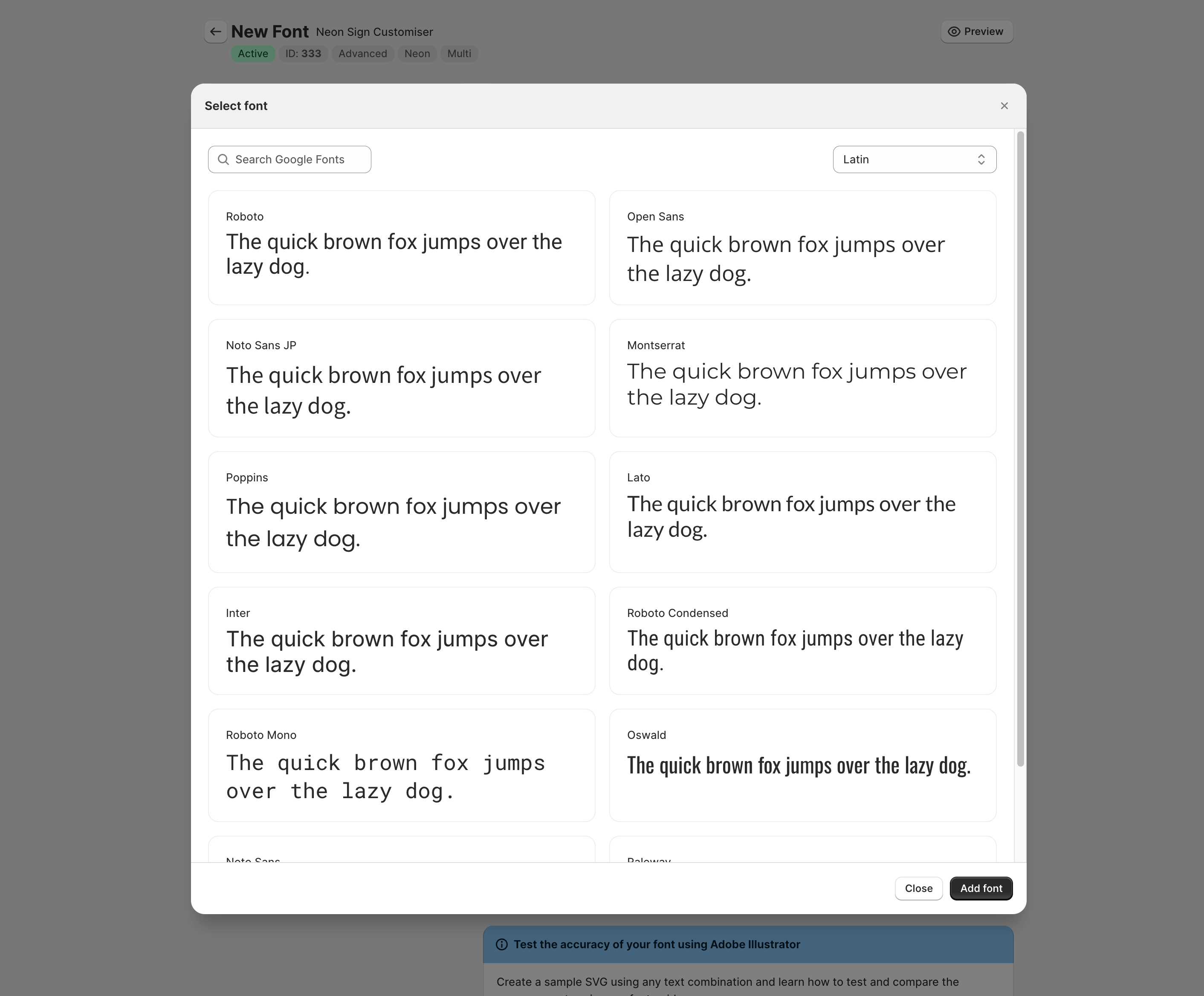
This feature allows you to browse through all 1000+ Google fonts within our admin and add it to your customiser with a single click. This will save you time from having to manually add the font to your customiser.
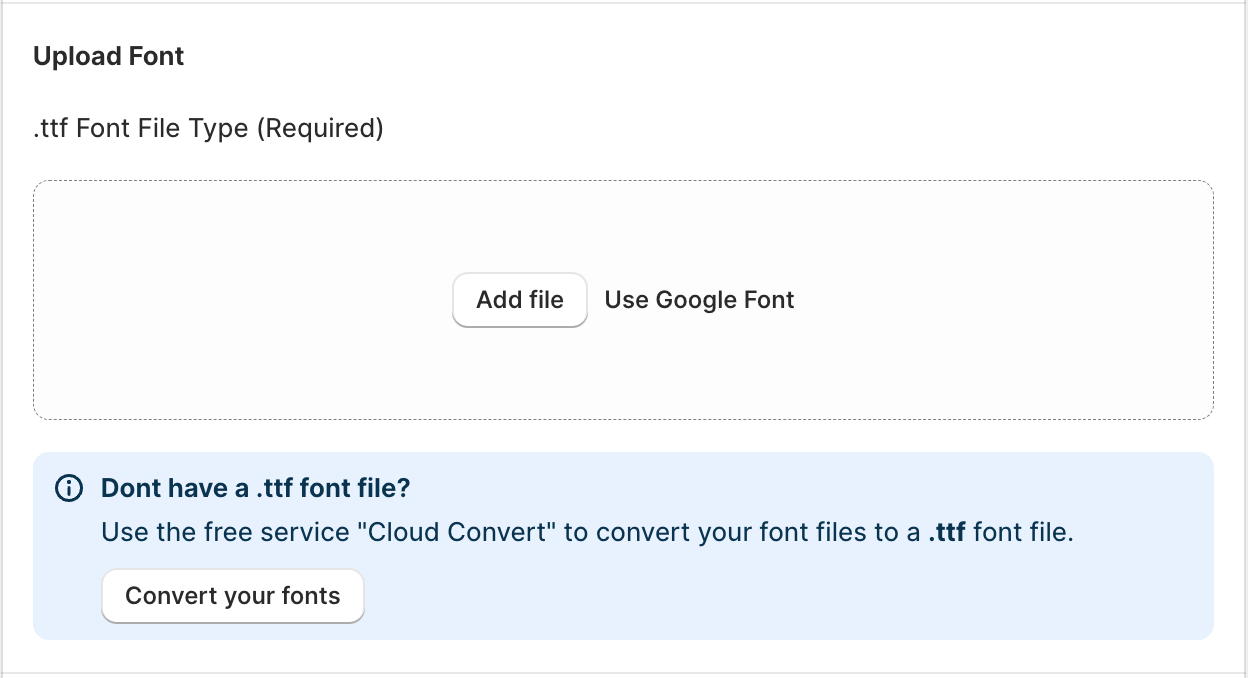
We have sorted the fonts by the most popular fonts used all over the world first.
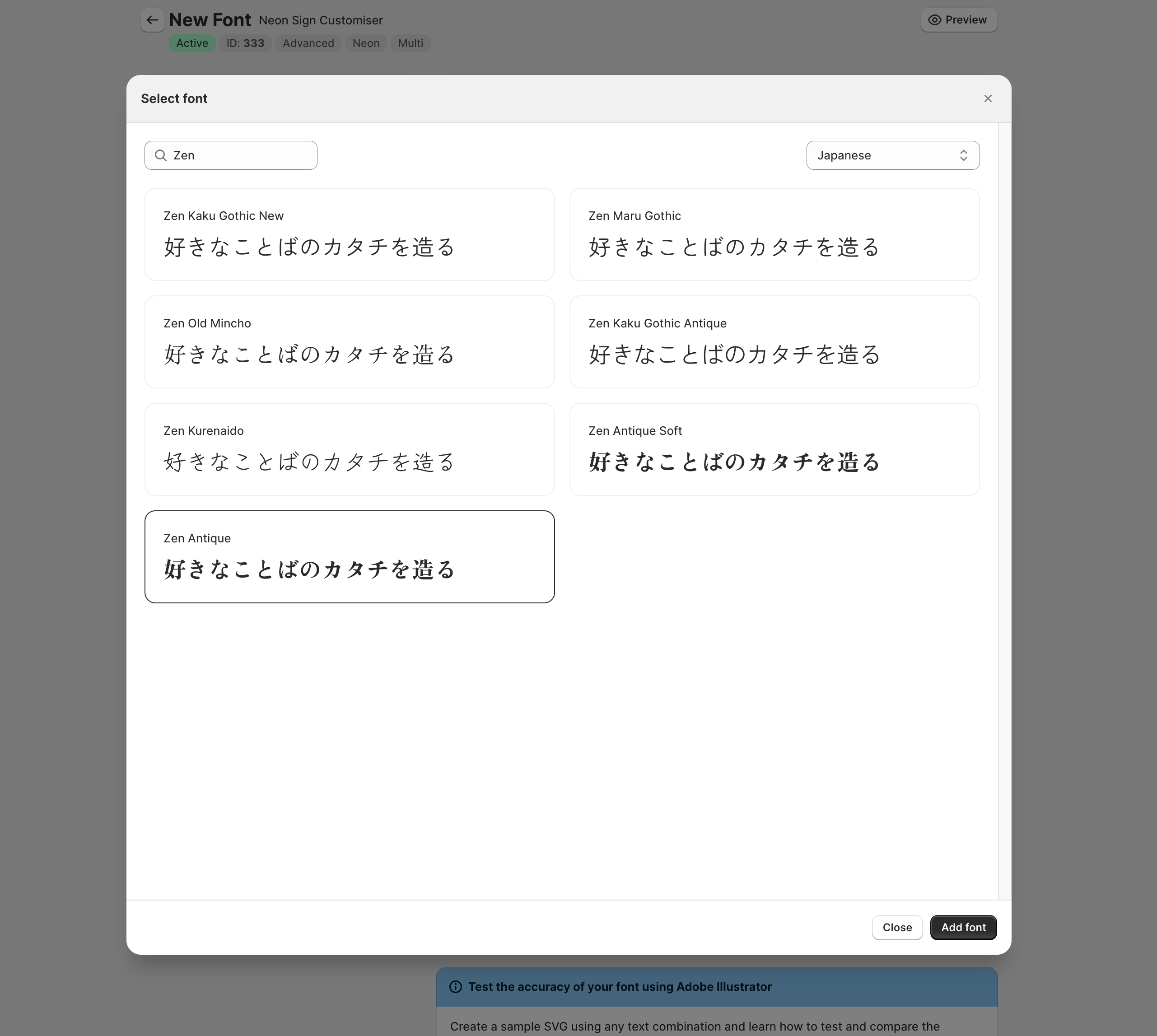
You can search specific fonts and filter by language. Currently, we support Arabic, Chinese, Hebrew, Japanese and Latin on our font list. We’ll be adding more in the future and upon requests.
-
Sharing and saving
This new update comes with two powerful new features that will make it easier for customers to continue interacting with your customiser on your store. The more they interact, the greater the chance of them making a purchase.
To see these new updates live, all our demos found here have been updated to include these new features.
Sharing
Customers can now choose to “share” their current design.
A modal will appear with a unique URL that they can copy and share with others or across different devices such as from a mobile to desktop.
When someone accesses the shared link, they will be taken to the customiser with the exact same selection that was shared.
Signs that have been purchased via sharing will be attributed as such in the order details for analytic purposes.
Saving
Customers can leave your website after playing around with the customiser, leave the website and come back to the page at a later date, with the same selections automatically pre-loaded.
This should help increase the chances of them making a purchase as they can continue where they left off.
How to enable
- In the Shopify admin, go the customiser you wish to edit
- Click on the “Settings” tab
- Scroll down to the “Sharing and saving” section
- Enable the features you wish to use
-
Customers can upload background images
You can now allow customers to upload background images in the customiser. This feature is disabled by default.
How it works
When enabled, customers will see an “Upload Background” button in the visualizer part of the customiser. They can click this button to upload an image from their device. The image will be displayed as the background image in the customiser.
How to enable
- Go the customiser you wish to edit in the Shopify admin.
- Click “Images”
- Click on “Enable Preview Images”
- Click on “Allow customers to upload background images”
-
Multi-color and font signs
Several updates have been made to this feature, please visit for more info:
You can now sell signs with multiple colors and fonts. This new capabilitiy introduces a new level of sign design customization for your customers, allowing them to create signs that are truly unique to them and eliminating the need for custom design quotes for a whole range of sign designs.
To see this new feaure in action, check out the video below:
-
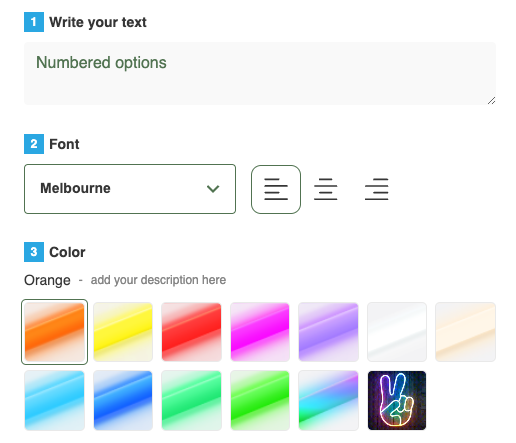
Numbered List Options
You can now automatically generate a list of options for your customiser that are numbered. This is useful for when you have a large number of options and you want to make it easier for your customers to understand the order of the options.
-
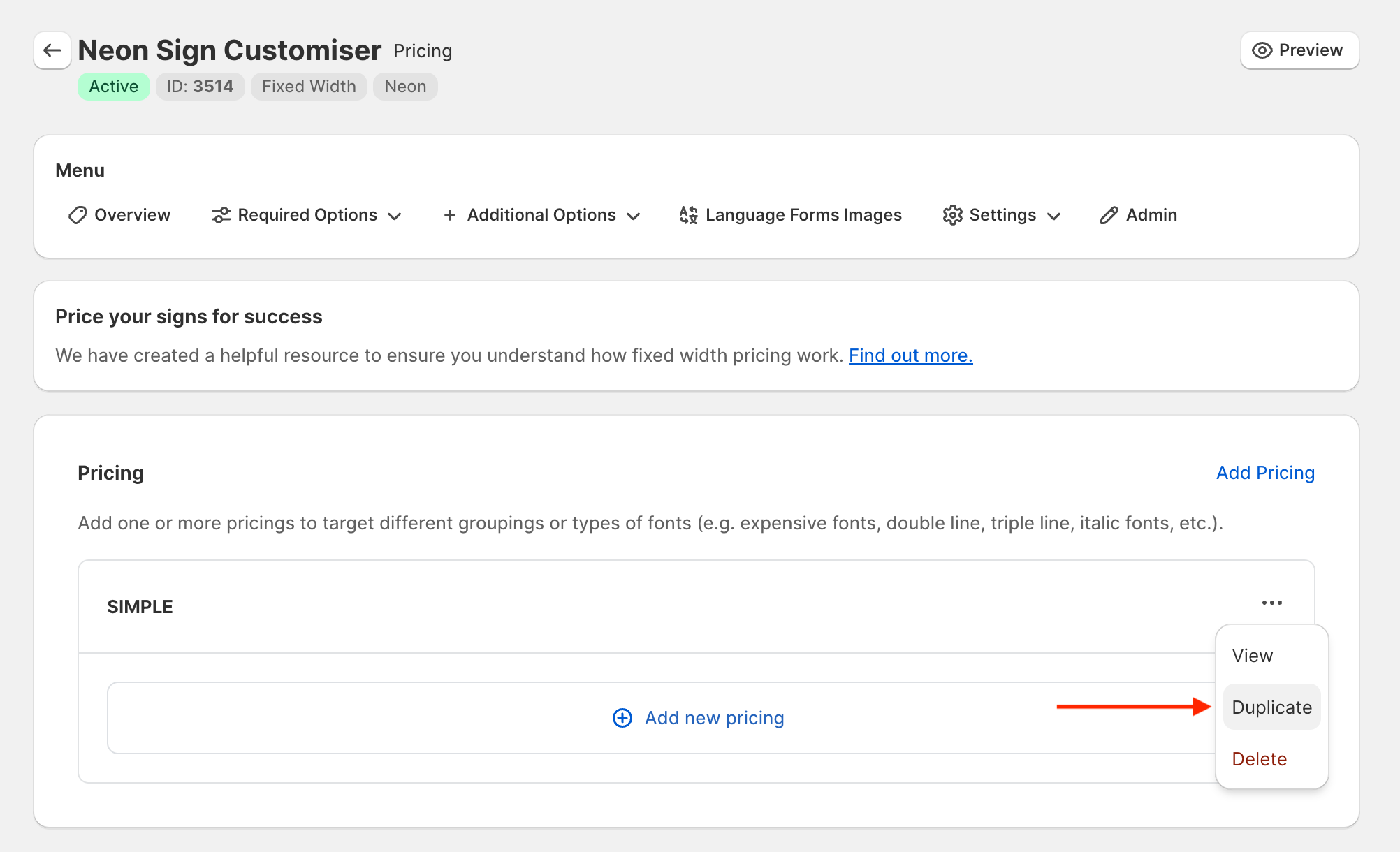
Duplicate pricing configuration on your store
You can now duplicate pricing configuration on your store. This feature allows you to create a copy of an existing pricing configuration and make changes to the new one without affecting the original.
-
Fixed size models can now generate SVGs for orders
Our fixed size customisers now allow you to generate an SVG of the custom sign when new orders are made. This feature was previously only available on our advanced model, but is now available for all customisers.
You can enable this feature on the settings page:
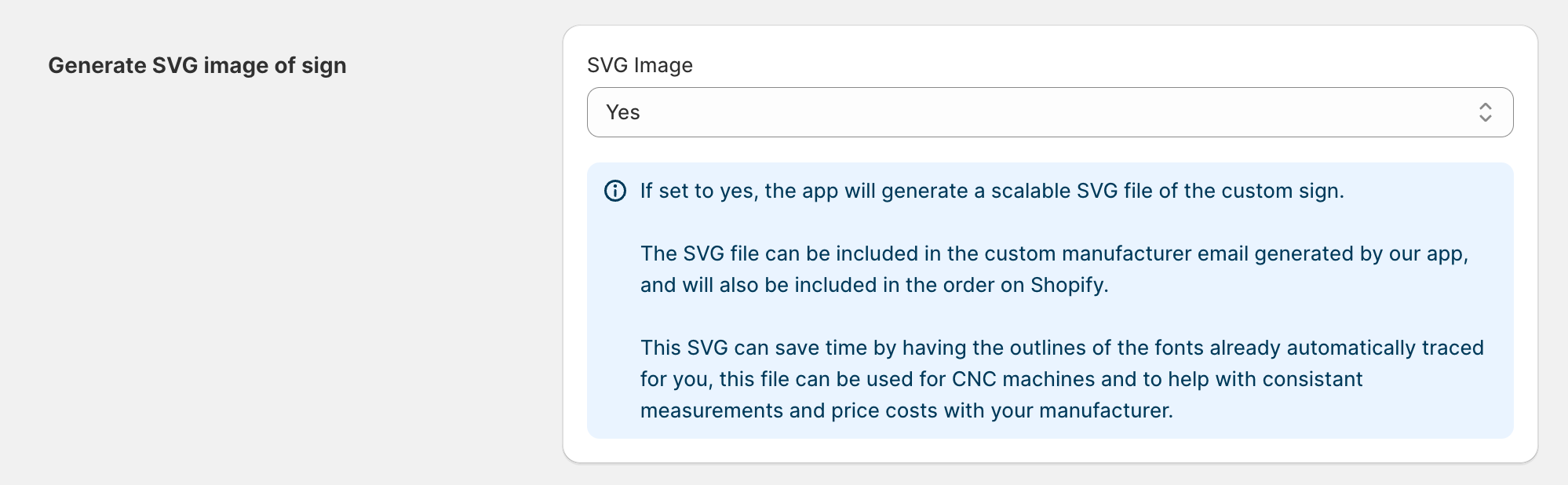
For more information, please refer to our documentation:
-
New visual sign renderer
Since this update is very visual, we decided to make a video about it.
This new renderer will replace the old one in a month or two, exact date will be provided via email, so you have time to get used to it. We hope you like it!
How to enable the new renderer on your existing customiser
- In the merchant admin, go to the customiser you want to update.
- Click on the “Settings” tab.
- Scroll down to label titled “Visual Sign Renderer”
- Click on the dropdown and select “Canvas”
- Click save at the bottom of the page.
-
Duplicate customisers on your store
You can now duplicate customisers on your store. This feature allows you to create a copy of an existing customiser and make changes to the new one without affecting the original. This is major quality of life improvement for merchants who want to create similar customisers with minor changes.
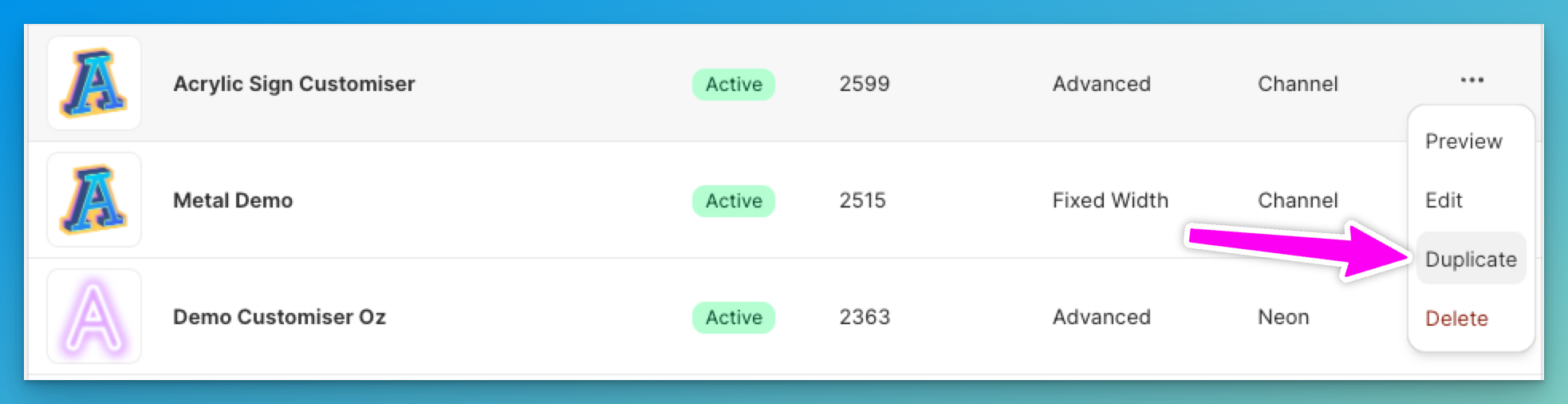
We have also improved our support process to make it very easy to duplicate customiers from other stores, what used to take hours now takes a couple of seconds, this will greatly help with merchants wanting to copy over the same customiser data from one store to another that they both own. Just ask our support team and they will be able to help you with this.
-
Decrease CLS Score
We have been able to decrease the Cumulative Layout Shift (CLS) score by 95% on average. This is a significant improvement from before and may provide a boost in SEO as search engines such as google factor in CLS as one of the performance metrics for page speed ranking. This improvement will also provide a better user experience for your customers while the app is loading.
