Changelog
Documenting our journey of creating a custom sign builder.

Customisers now load up to 20x faster, worldwide
Sign Customiser now delivers your customiser’s configuration from a global edge network of over 300 locations, so shoppers get it from a server near them instead of waiting on a round trip across the world. In our real-world testing from Australia, the data that powers the customiser arrived in about 60 milliseconds instead of over a second — roughly 20x faster — and shoppers in every region see a similar jump because the copy they download is served from their nearest city.
Speed never comes at the cost of accuracy: the moment you save a change to your customiser — pricing, colours, sizes, fonts, anything — the edge copies are refreshed worldwide within seconds, so every shopper always sees your latest design and prices.
What’s Changed
- Customiser data served from the edge - The configuration your customiser loads on every visit now comes from the shopper’s nearest edge location rather than a single origin server.
- Up to 20x faster in far-away regions - Measured load times for customiser data dropped from over a second to around 60 milliseconds for shoppers on the other side of the world, with meaningful gains everywhere else too.
- Always fresh, everywhere - Saving a change in your admin clears the old copies globally within seconds, so faster never means out of date.
- Snappier first impressions - Shoppers reach a ready-to-design customiser sooner, which means less waiting on slow connections and mobile networks.
Export quote PDFs from your Quotes inbox
Sign Customiser now turns every quote request and custom design submission into a PDF your team can save, share or use while preparing a price. The redesigned Quotes inbox puts the customer’s details, answers, design choices and files on one clear page, so there is less digging when it is time to follow up.
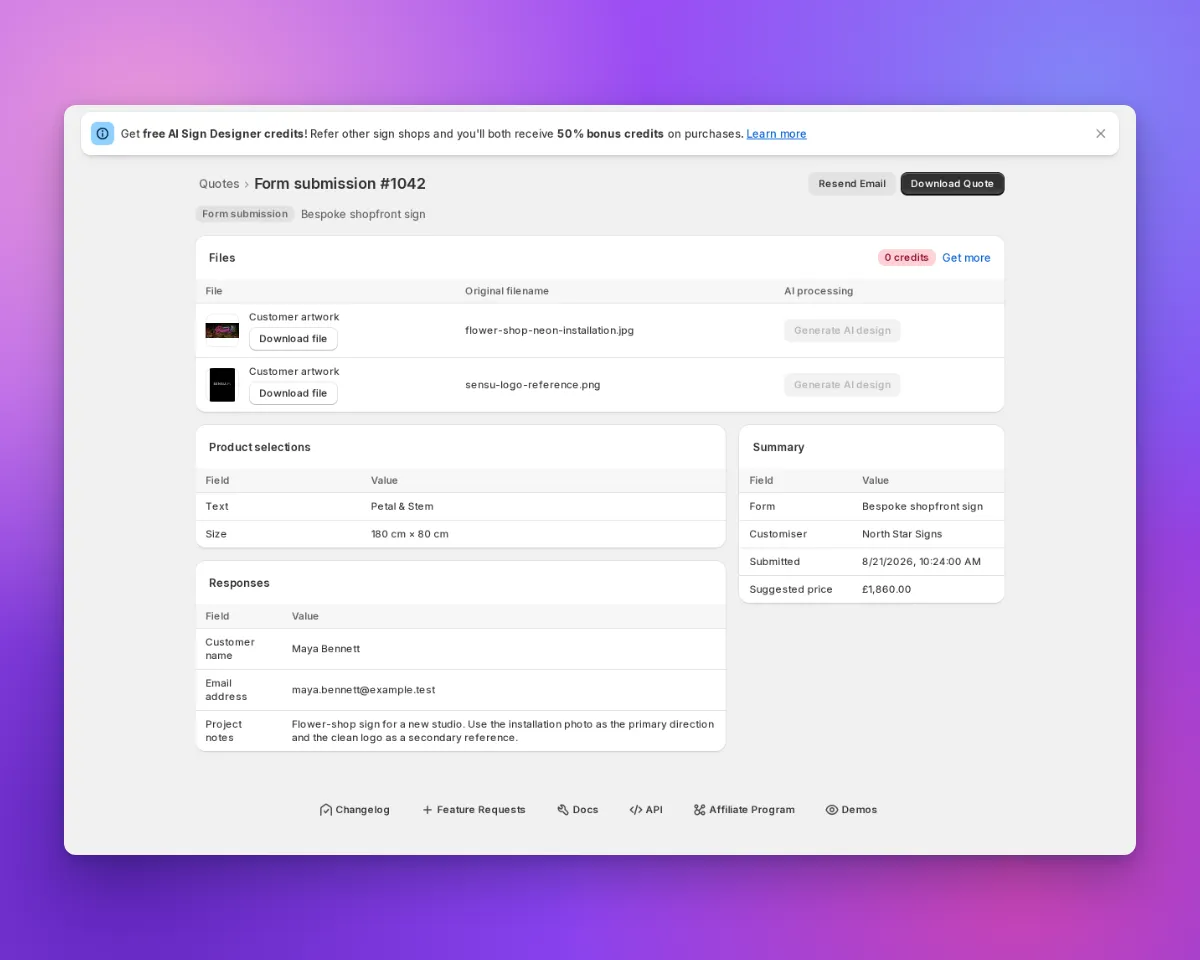
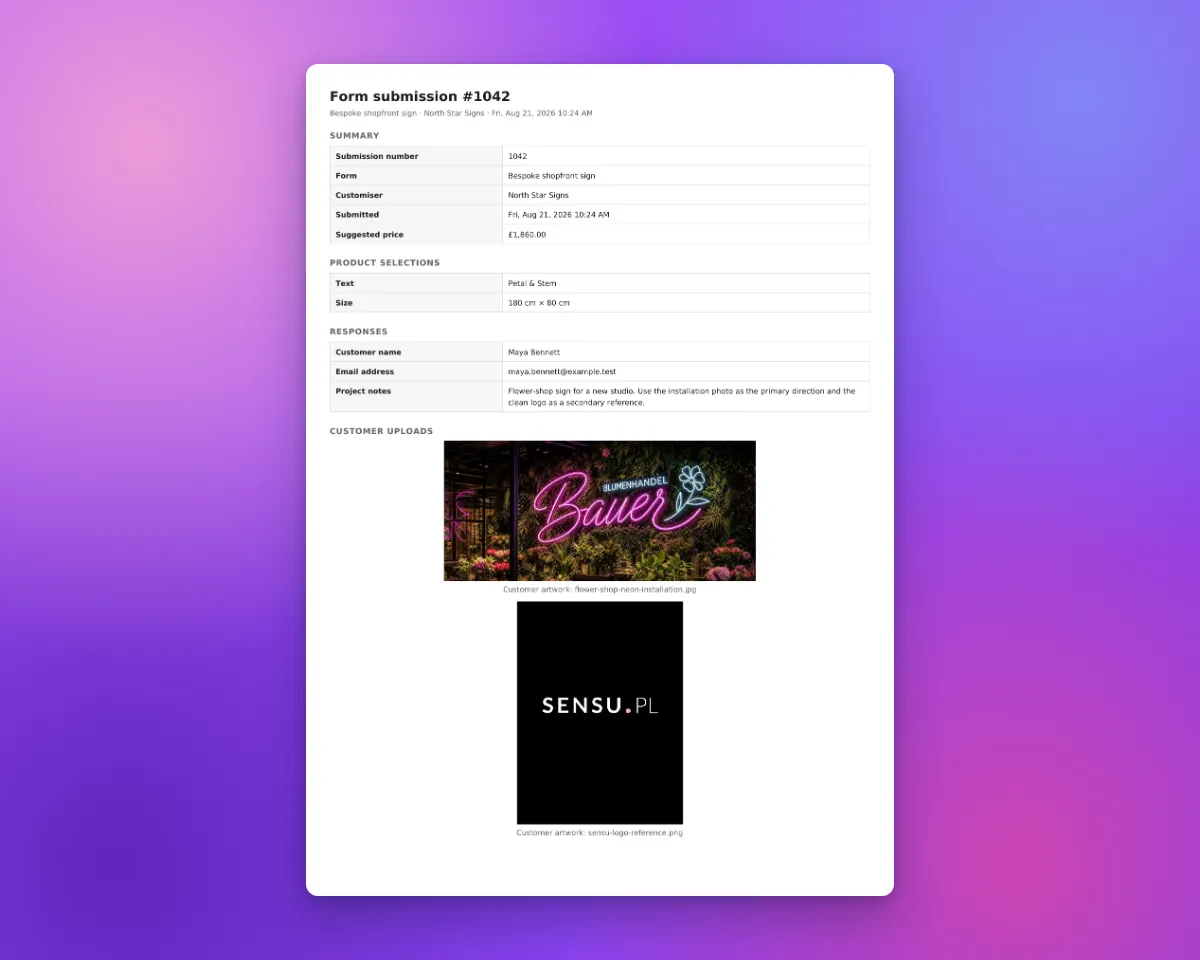
Download Quote carries the same information into a document that is ready to share or keep with the job.
What’s Changed
- Download a complete quote PDF - Use Download Quote on any quote request or custom design submission to create a document with the information your customer supplied.
- See customer pictures in the document - The PDF includes compatible uploaded pictures alongside the submission details. Every attached file is still listed, even when it cannot be displayed as an image.
- Find the full enquiry in one place - Contact details, form answers, product selections, quoted price, design preview and files are grouped into clear sections when they are available.
- Work through quotes faster - The simpler Quotes inbox has clearer filters, compact rows and direct links to each submission, with Resend Email and Download Quote ready on the detail page.
- Keep original files within reach - Preview and download customer uploads from the submission page when your team needs the source artwork.
Connect an AI agent to your Store
Connect an AI agent to your Store in Sign Customiser. Ask it to set up customisers, change options and pricing, or find orders, quotes and revenue summaries.
Each connection has access to one Store. Review the permissions requested by the agent before you approve the connection. Review its activity or revoke its access from Tools & Settings > MCP server.
How it helps
- Manage customisers. Add colours, fonts, sizes and materials, or change your pricing.
- Find Store information. Ask your agent for orders, quotes and revenue summaries.
- Review its work. See agent activity and Store changes in the merchant admin.
Get started
- Open the MCP server page to learn what your agent can do.
- Follow the setup guide.
- Enter
https://mcp.signcustomiser.comwhen your agent asks for the server URL. - Confirm the Store. If you have more than one Store, select the correct one.
- Review the requested permissions and approve the connection.
Access all your quotes via the API
Until now the only automatic export for quote requests was the
form:submittedwebhook, which sends each enquiry once, as it arrives. If you connected your CRM after the enquiries came in, or a delivery was missed, that history stayed in your admin. The Sign Customiser API can now read it back, and it is the path we recommend for new integrations.What’s Changed
- Your quote history is available - The new quotes endpoint returns the quote requests and custom design submissions your store has collected, newest first, so an integration set up today can still import everything that came before it.
- Quotes and custom designs in one place - Both kinds of submission come back from the same endpoint, each labelled with its type, matching the Quotes page in your admin.
- Filter to the pipeline you want - Narrow the list by customiser, by form, by submission type, or to a date range, so a multi-product store can route enquiries to different teams.
- Answers as your customer gave them - Each submission carries the question labels that were on the form when it was filled in, so renaming or removing a question later never rewrites your history.
- Attachments included - Customer uploads, product previews and generated design files come back as their own list, with the original filename and a working download link.
- Design details on quote requests - Quote Mode enquiries also return the options the customer chose and the price they were quoted, alongside their answers.
- A separate permission - Reading submissions needs its own
quotes:readscope on your API key. A key that only manages your customisers cannot see customer contact details or uploads.
The
form:submittedwebhook keeps working and keeps firing on every new submission, but it is now the legacy export path and is deprecated in favour of the API. Nothing you have set up will stop working, and there is no cut-off date. If you are building something new, read from the API instead.Your Quotes page now links straight to the reference for this endpoint. Quote requests sent to a form that was deleted a long time ago may not be readable, because the platform kept no proof of which store owned them.
Product images can now use the shopper's selected background
Sign Customiser can now carry your customer’s chosen scene background through to the product image, so the picture they see in their cart and order matches the design they built — sign, background and all.
What’s Changed
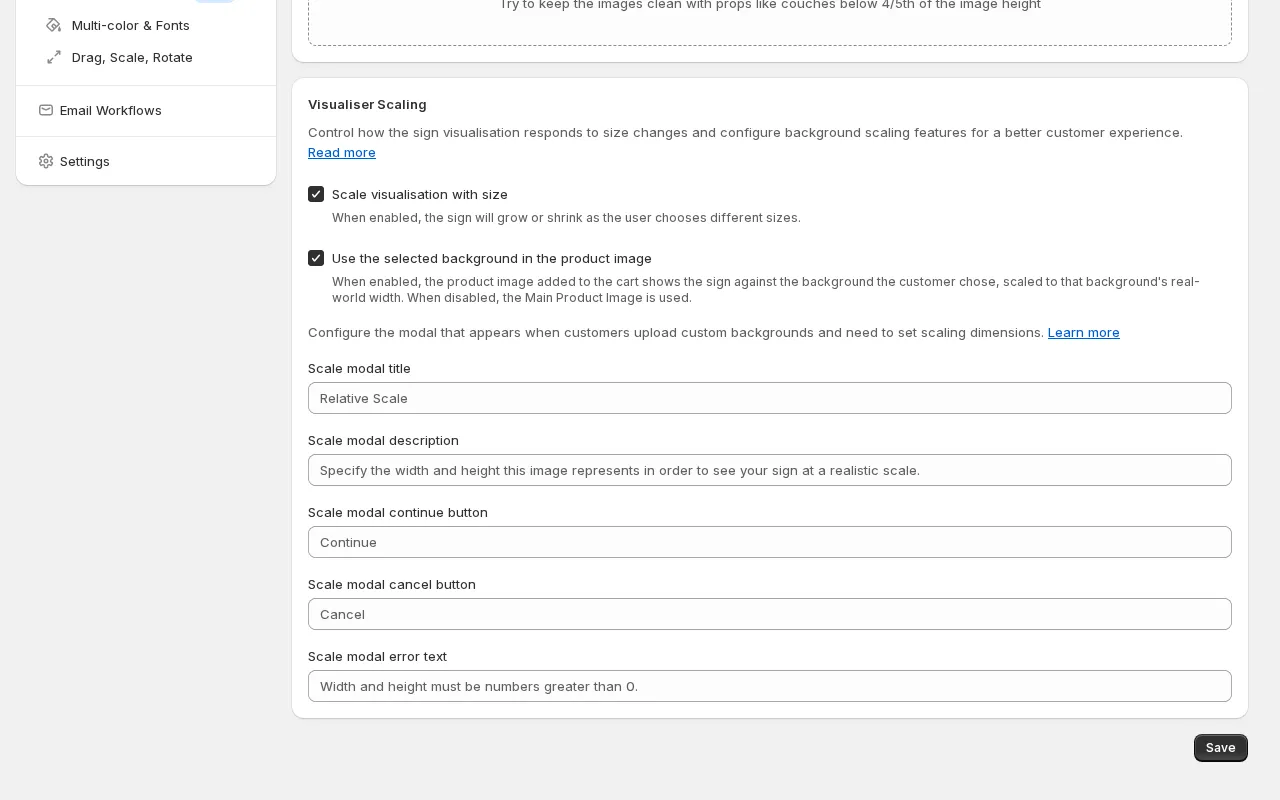
- Backgrounds follow the design into the cart - When a shopper picks one of your scene backgrounds in the visualiser, the product image can now use that same background instead of the default product photo.
- True-to-life sizing - If a background image has a real-world width set, the sign is scaled proportionally against it, so a small sign looks small and a large sign fills the scene — giving customers a realistic sense of what they’re ordering.
- You’re in control - The feature is off by default. Turn on “Use the selected background in the product image” from the Scene Editor page whenever you’re ready — existing customisers keep working exactly as before.
- Works hand in hand with size scaling - The option pairs with “Scale visualisation with size”, so the product image only uses the scene background when the visualiser is showing the sign at its true scale.
Sign board previews now match every size
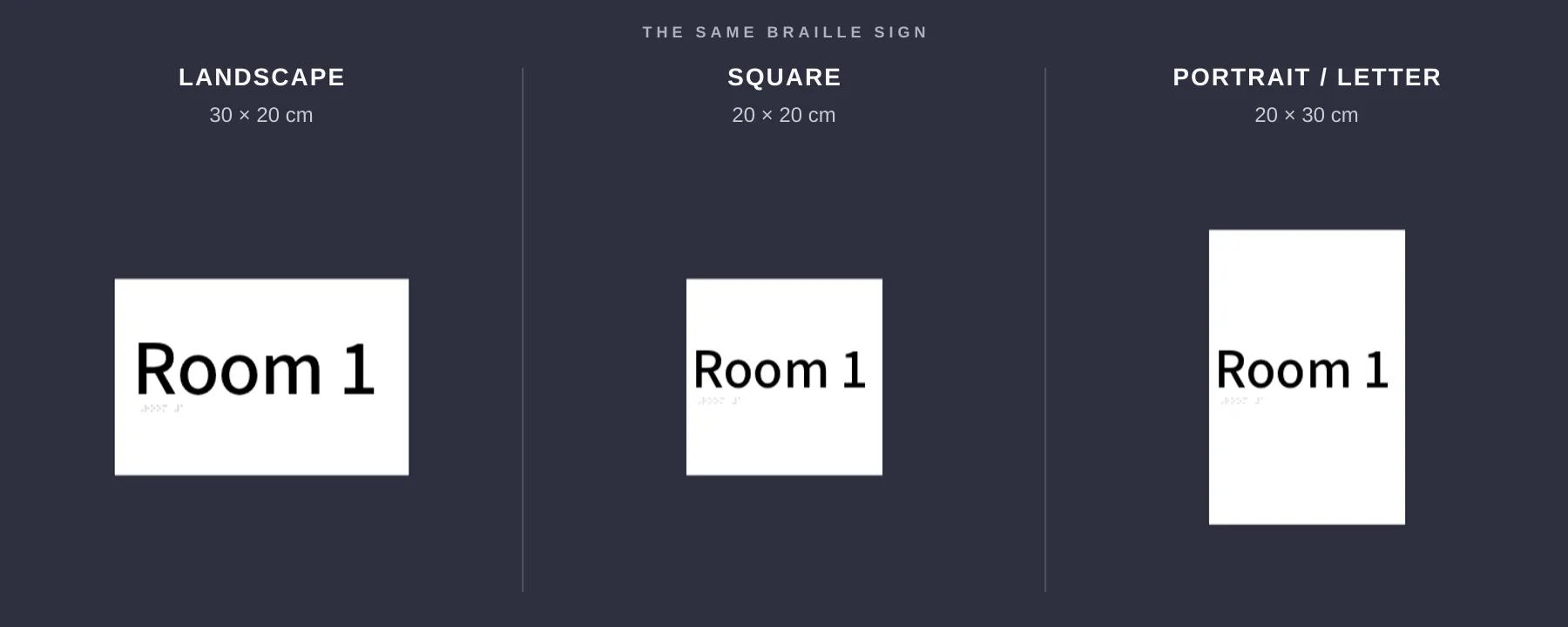
Sign Customiser now shows each rectangular sign board in the shape your customer selected. A square board stays square, while portrait and landscape formats look visibly different before the customer orders.
What’s Changed
- True-to-size previews. Square, portrait and landscape boards keep the width-to-height ratio the customer selects.
- Accurate boxes and stands. Rectangular boxes and stands use the same proportions as the chosen sign size.
- Matching product images. Newly generated product images keep the board shape customers saw while designing their sign.
- Clearer measurements. Width and height guides line up with the board itself, making each format easier to compare.
- No setup needed. Eligible customisers update automatically, and pricing stays the same.
Automatic customer confirmation emails
Sign Customiser can now send customers an automatic confirmation when they submit a quote request or custom design form. Each customiser has its own opt-in setting, so nothing is sent until you turn it on.
What’s Changed
- Automatic acknowledgements - Give customers immediate confirmation that their quote request or custom design submission has arrived
- Separate wording for each form - Write a different message for quote requests and custom design submissions, with editable subject lines and email bodies
- Your branding and reply address - Use your store’s email branding and route customer replies back to your inbox
- Clear sending status - See whether each submission flow is sending, with a direct link to fix any missing setup
- Safe template controls - Browse customer-safe variables and reset the wording to Sign Customiser’s default at any time
Native discounts are finally in Shopify.
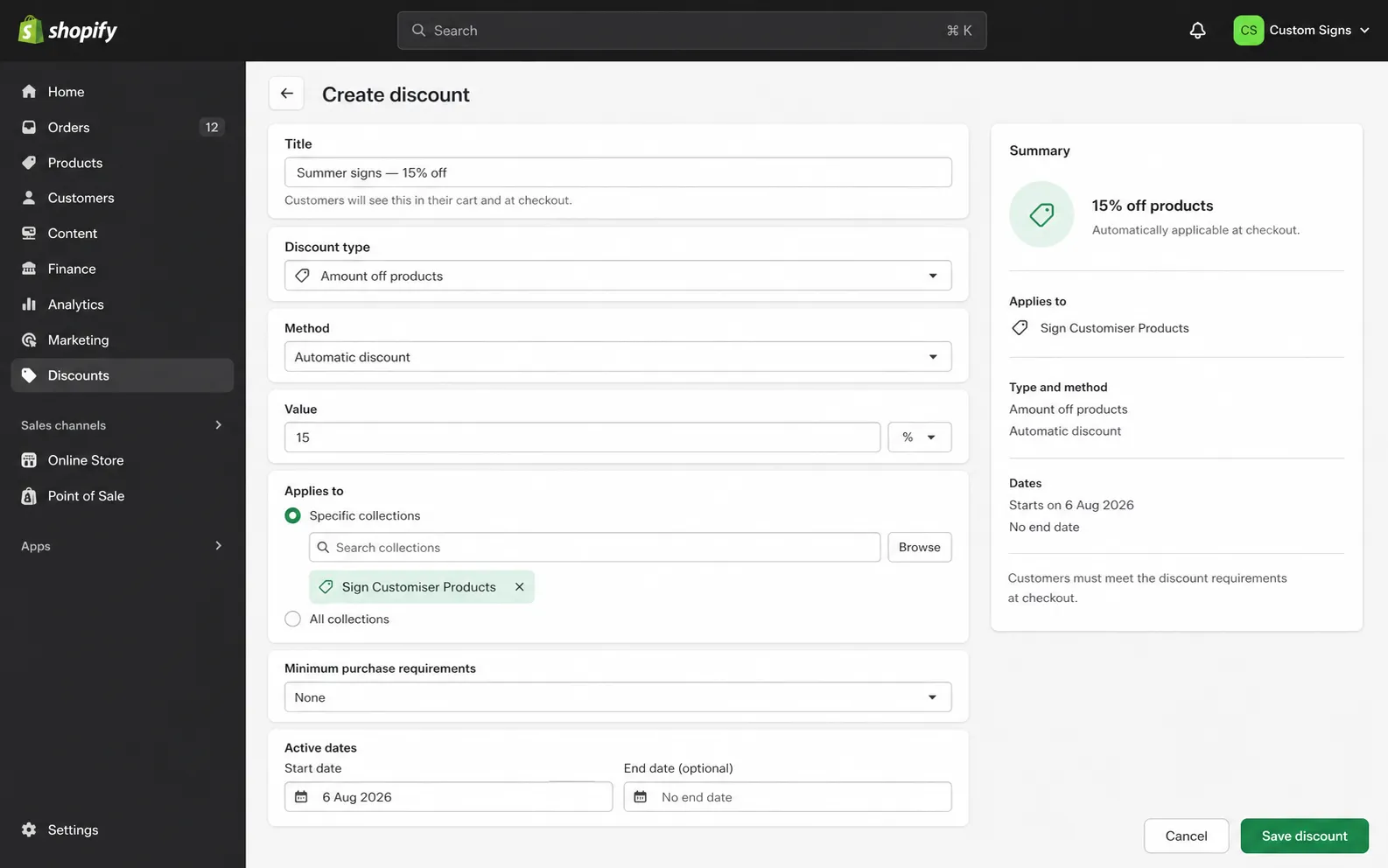
Shopify discounts can now target every sign generated by Sign Customiser, or only the signs created through one customiser. New products join the right Shopify collections as they are created, so collection-based discount codes and automatic discounts apply on the shopper’s first cart or checkout attempt.
What’s Changed
- Target every generated sign - Sign Customiser maintains a
Sign Customiser Productscollection for your store - Target one customiser - Each customiser gets its own collection when it creates its first product. The collection uses the customiser’s name and follows later name changes
- Apply discounts without a delay - New signs join both collections during product creation, so Shopify can apply collection-based discount codes and automatic discounts straight away
- Build your own Shopify automations - Every new product also carries the
sign-customiser-generatedtag and a tag tied to its customiser - Keep broad offers broad - Discounts set to all products still work as before
Shopify product discounts apply on top of the price set by your customiser. If more than one Shopify product discount overlaps, Shopify applies the better discount rather than adding the discounts together.
Shopify Starter and Retail do not support collection management. On those plans, discounts set to all products still apply to generated signs, but collection-based targeting is unavailable.
- Target every generated sign - Sign Customiser maintains a
Categorised Shopify product types for generated signs
Sign Customiser now gives each newly generated Shopify product a product type that matches its sign category. This makes it easier to build collections, shipping rules and other Shopify automations for different kinds of signs.
What’s Changed
- Product types now match the sign - New acrylic, metal, stencil, wooden, aluminium, braille, wood-frame and lightbox products receive their own clear product type.
- Neon remains familiar - New neon products keep the existing
Custom Neonproduct type, so established neon workflows continue to work. - Existing products stay unchanged - The new product types apply when Sign Customiser creates a product. Products already in Shopify are not renamed.
Price letters by position
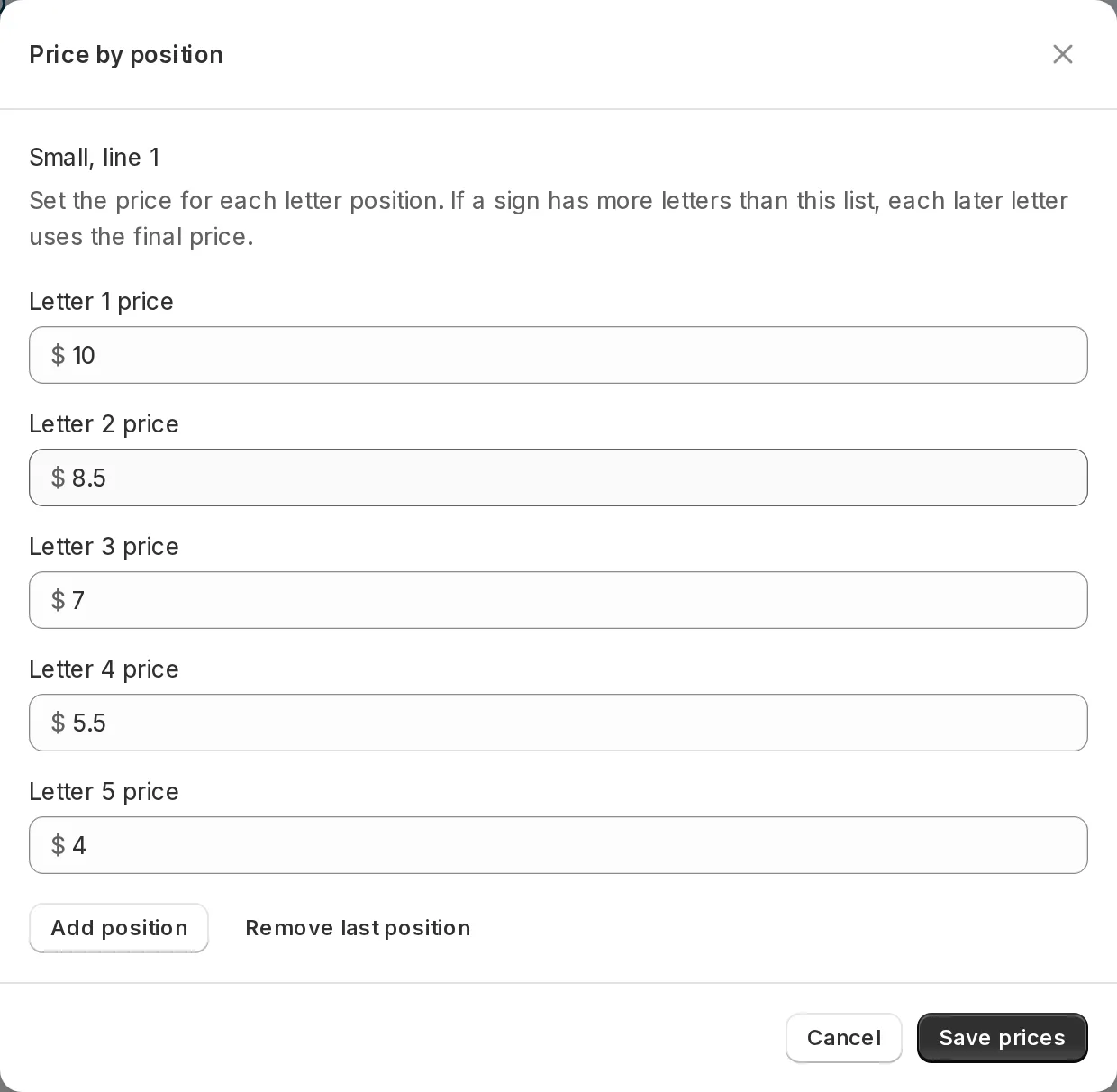
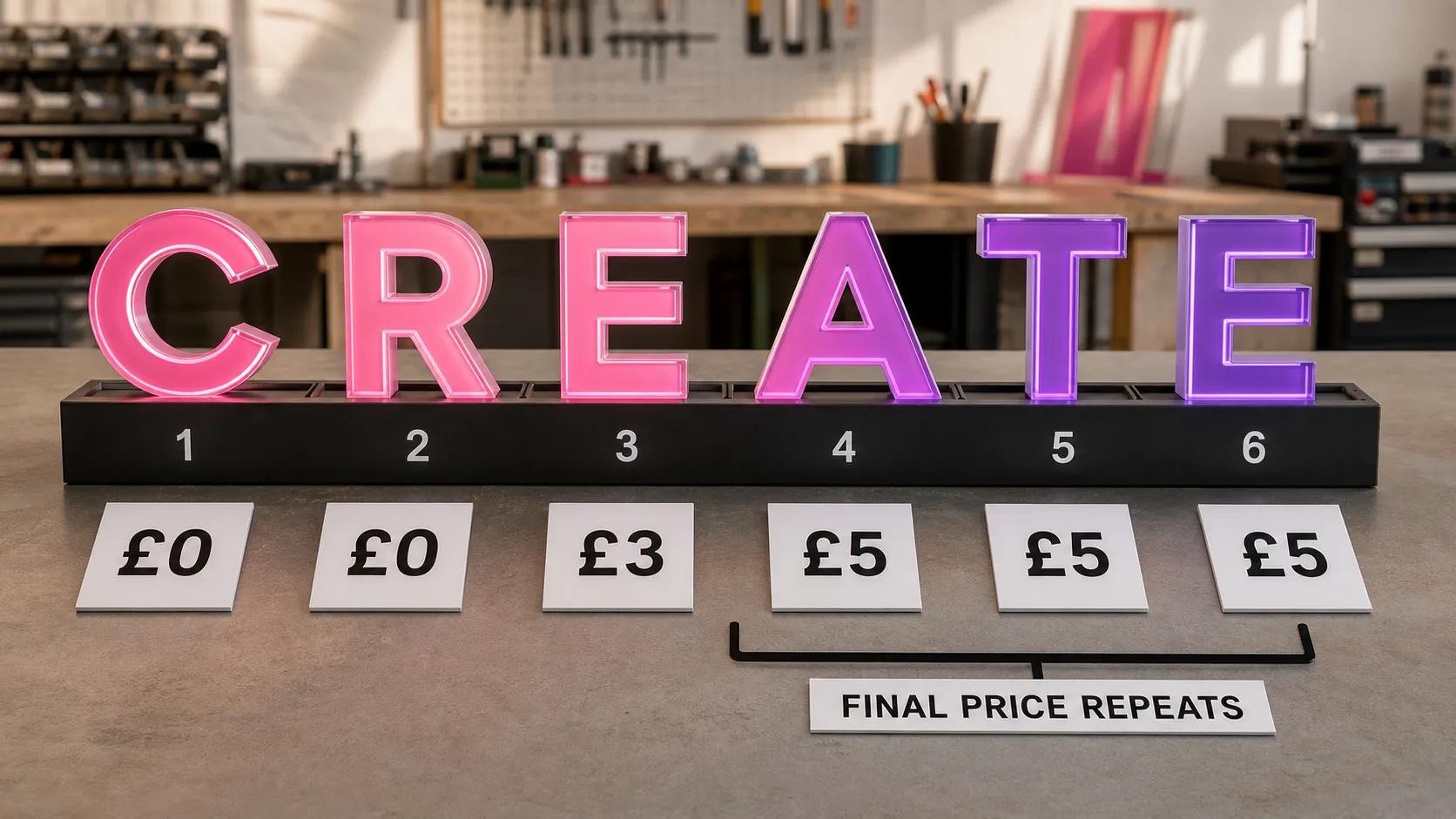
Sign Customiser now lets you set a different price for each letter position in Simple Letter and Advanced Letter customisers. You can include the first few letters at no extra cost, build a stepped pricing schedule, and charge longer signs accurately without configuring every possible text length.
What’s Changed
- Choose how letters are priced - Keep one consistent price for every letter or select Price by position for a more flexible schedule
- Include free letters - Set any position to zero when you want early letters covered by the sign’s base price
- Cover longer text automatically - Once a customer types beyond your configured schedule, every later letter uses the final price in the list
- Control up to 100 positions - Add positions as needed, with each new position copying the last price to make longer schedules quick to set up
- Handle multiple lines predictably - Simple Letter restarts at position 1 on each configured line, while Advanced Letter continues one sequence across the whole sign
- Switch modes without losing work - Sign Customiser keeps both pricing methods, so you can change modes and return to your saved values later
Choose Price by position beside the existing letter-pricing controls, then open the position editor for the size or line you want to configure.