Changelog
Documenting our journey of creating a custom sign builder.

Clickable links in customiser descriptions
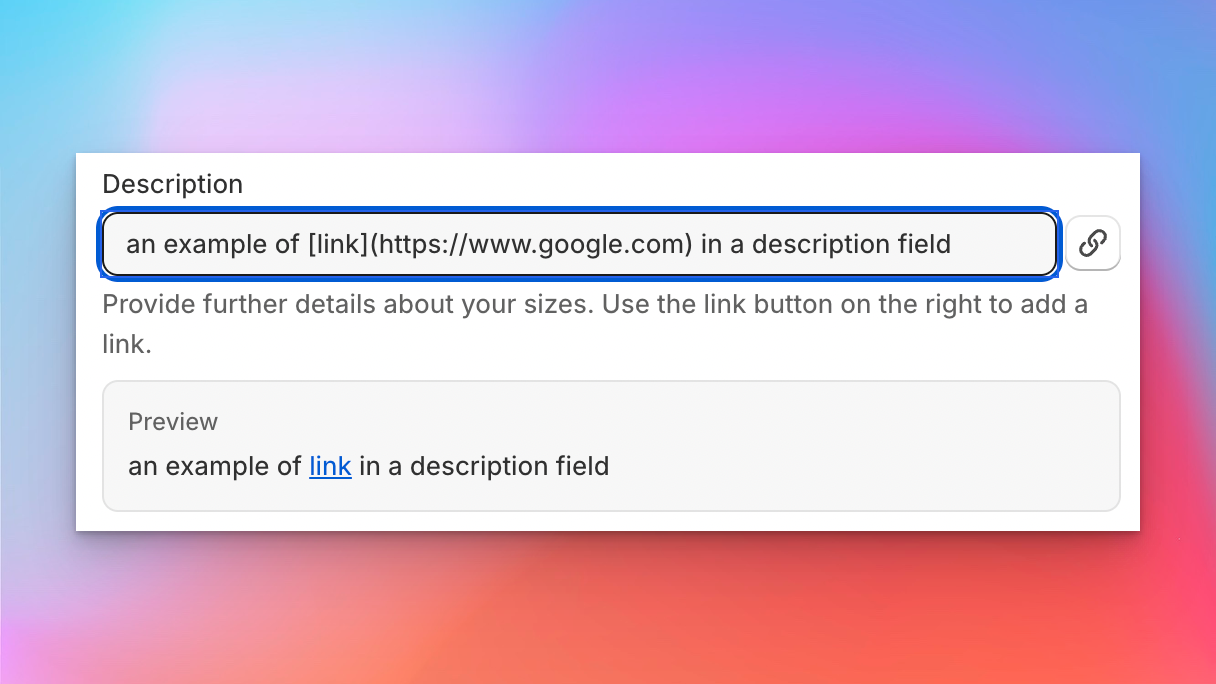
Sign Customiser now lets you add clickable links inside the descriptions and help text that customers read while they’re designing their sign. Point customers at a mounting guide, installation video, size chart, or a “contact us” link without ever taking them out of the flow, all using a simple Markdown link format your merchants will already recognise.
This is a small quality-of-life upgrade that unlocks a lot: fewer support questions, better-informed buyers, and a cleaner way to surface the helpful content you already have on your store.
What’s Changed
- Markdown links in option descriptions - Use
[label](url)inside descriptions for colours, sizes, materials, mounting, supports, jackets, product types, and custom form fields to turn any word or phrase into a link - Links render safely for customers - Customer-facing descriptions automatically become clickable, opening external links in a new tab and keeping internal or anchor links in the same tab
- Supports the link types you actually use - Works with full URLs, your own store paths like
/pages/mounting-guide, in-page anchors,mailto:email links, andtel:phone links - Inline admin hint - Every supported field now shows a short help note with example syntax, so merchants can see at a glance how to add a link without leaving the form
- Plain text still works as before - Existing descriptions keep rendering exactly as they do today, so there’s nothing to migrate
- Markdown links in option descriptions - Use
Automated pricing updates via the API
Sign Customiser’s API now supports full pricing management, giving merchants the ability to read and update their customiser pricing automatically. Whether you’re a power user running scheduled scripts or a merchant looking to keep pricing in sync with your business systems, this update puts you in control.
Rather than manually adjusting prices through the dashboard each time costs change, you can now automate the process entirely. Build a scheduled task that pulls your latest supplier rates and pushes updated pricing to Sign Customiser, or connect your inventory system to adjust prices in real time as material costs fluctuate.
What’s Changed
- Read pricing via API - Retrieve the full pricing configuration for any customiser, including sizes, base pricing, and price lists
- Update pricing via API - Replace pricing configuration automatically with a single PUT request, covering base prices, letter prices, size tiers, and price lists
- Works with all pricing models - Supports Fixed Width, Material Length, and Frame Fit pricing models
Example Use Cases
- Shipping cost updates - Shipping rates change regularly. Set up a scheduled task that fetches your latest carrier rates and automatically updates shipping surcharges across all your customisers, so customers always see accurate totals
- Seasonal pricing - Run a cron job that applies seasonal pricing adjustments at specific dates, such as holiday surcharges or off-peak discounts, without lifting a finger
- Supplier cost sync - When your material supplier updates their price sheet, a script can recalculate your margins and push new pricing to every affected customiser in seconds
- Multi-currency adjustments - Automatically adjust pricing based on daily exchange rates for international storefronts
- Bulk price changes - Update pricing across dozens of customisers at once from a single script, instead of editing each one individually
For implementation details and API reference, visit our Custom API Integration guide.
UTM parameter tracking for marketing attribution
Sign Customiser now automatically captures UTM parameters — utm_source, utm_medium, utm_campaign, utm_term, and utm_content — from your customers’ browsing sessions and threads them through to your form submissions, notification emails, and webhook payloads. This gives you full visibility into which marketing campaigns are driving quote requests and sign orders.
What’s Changed
- Automatic UTM capture - UTM parameters are detected from the storefront URL and persisted in session storage so they survive page navigation
- UTM data in form submissions - Quote requests and custom design submissions now include UTM tracking data, so you can attribute every lead to the campaign that brought them in
- Marketing attribution in order emails - Merchant notification emails now display a UTM tracking section when parameters are present, making it easy to match enquiries to campaigns
- Webhook enrichment - UTM parameters are included in webhook payloads, allowing your CRM, analytics tools, or automation workflows to process attribution data automatically
- Cross-iframe support - UTM data is correctly passed through to the customiser when embedded via iframe on Shopify, WooCommerce, or hosted pages
Export orders as CSV via email
Sign Customiser now lets you export your orders as a CSV spreadsheet, delivered directly to your email. Whether you need last month’s orders for bookkeeping, a full year for reporting, or a custom date range for a specific campaign — just pick a range, hit export, and the file will land in your inbox within minutes.
What’s Changed
- One-click preset ranges - Quickly export orders from the last 7 days, last 30 days, last quarter, or all time without touching a calendar
- Custom date range picker - Use the built-in calendar to select any start and end date for a tailored export
- Delivered to your inbox - Exports are processed in the background and emailed as a CSV attachment to the address on your account, so you can keep working while it runs
- Detailed order data - Each row includes customer details, sign configuration, pricing, and all selected options so you have a complete picture of every order
Slim lightbox designs with recessed borders
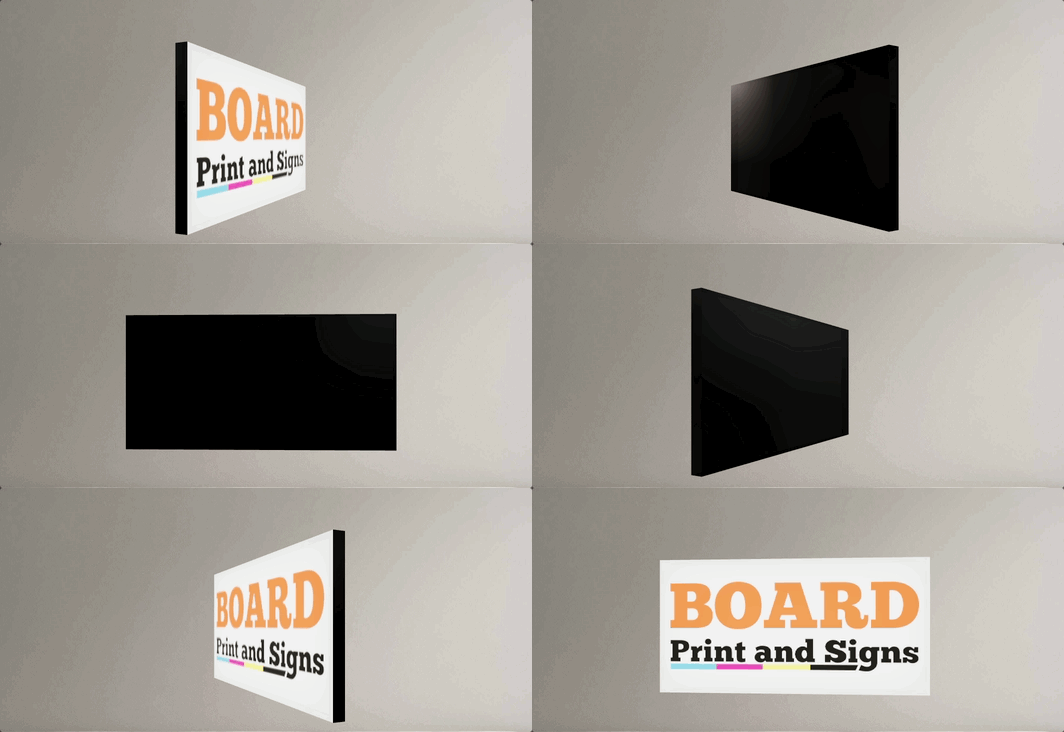
Sign Customiser now fully supports slim lightbox designs inside the customiser. If your lightbox signs only illuminate from one side — like a wall-mounted sign that doesn’t need a lit back panel — the 3D preview now accurately reflects this by showing the border trim on any disabled sides. You can also enable recessed borders for a cleaner, more modern look where the border sits flush with the face rather than overlapping it.
What’s Changed
- Slim (single-sided) lightbox support - Lightbox signs with inactive sides are now officially supported in the customiser. Disabled sides display the border colour instead of a lit panel, giving customers an accurate preview of how the finished sign will look
- Recessed border option - A new setting allows merchants to enable recessed borders on lightbox signs, removing the visible trim overlay from the face and back panels for a sleek, frameless appearance
- Accurate 3D preview - The lightbox renderer correctly hides glow effects and images on inactive sides, so the preview matches the real product — whether it’s a single-sided wall sign or a fully illuminated hanging lightbox
- Works across all lightbox shapes - Box, circle, and oval lightbox shapes all support inactive sides and recessed borders
- Automatic border trim enforcement - The admin and customiser now ensure lightbox signs always have the required border trim colour assigned, preventing incomplete configurations from reaching your customers
AI Sign Designer now supports Material Length pricing
The AI Sign Designer just got a major expansion. Merchants using the Material Length pricing model can now offer AI-powered sign design directly in their customisers, opening up precise, path-based pricing for customer-uploaded artwork and AI-generated designs. We’ve also expanded Channel Letter sign support and made it faster than ever to get started with new demo templates.
What’s Changed
- Material Length pricing meets AI Sign Designer - Customisers using the Material Length model can now accept AI-generated SVG designs with accurate per-letter measurements and pricing. Customers upload an image or describe their sign, and the AI produces a design that’s measured and priced using your existing material length rules
- Channel Letter signs work with AI Sign Designer - Channel Letter product types are now fully supported in the AI Sign Designer flow, including face and halo colour effects, RGB options, and UV print colour preservation
- UV print colours preserved from AI artwork - When a customer uploads a multicolour design, the original fill colours from the AI artwork are automatically carried through as UV face print data, so what the customer sees in the preview matches what goes to production
- New demo templates for faster setup - The customiser creation flow now includes AI Sign Designer demo data for eligible product types, so merchants can launch a fully configured customiser with AI design capabilities in just a few clicks
- Streamlined onboarding - The standalone onboarding card has been replaced with an integrated setup experience that seeds AI Sign Designer settings alongside your demo data, reducing the steps needed to go live
Letter Rail Backboard Now Available
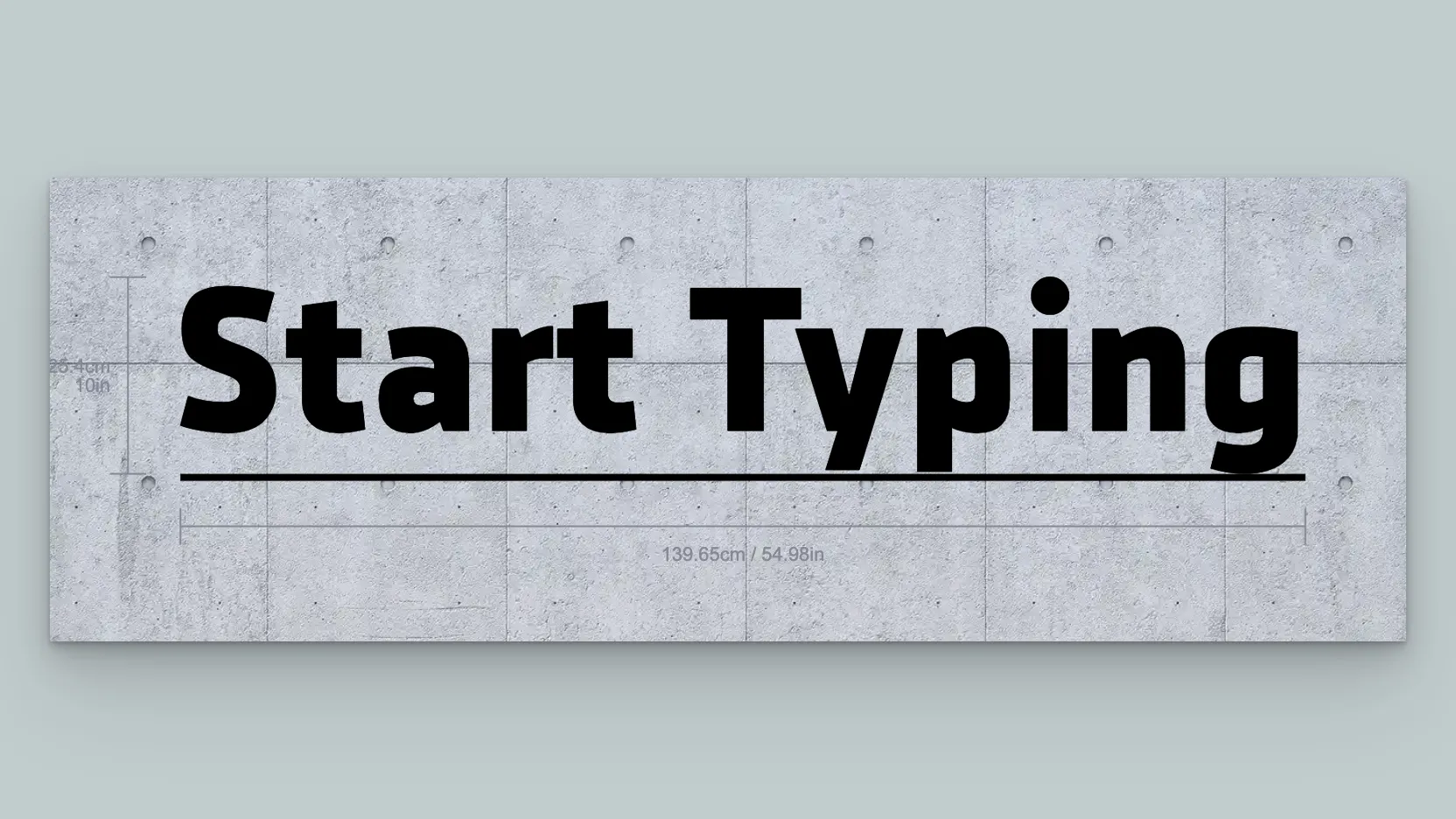
You can now add a Letter Rail backboard to any channel sign customiser. Letter rail backboards display individual letters mounted on a sleek rail, offering a modern and versatile look without needing to set up a separate sign type.
What’s Changed
- New Letter Rail backboard option — Letter Rail is now available as a backboard support type alongside Board, Raceway, Stand and Cut to Shape, configurable from the backboard editor on any channel sign customiser
- Configurable bar height and gap — Control the rail thickness and the spacing between the rail and the letters from the backboard padding settings
- Automatic style inheritance — Letter rail backboards can inherit the same face colour and glow effects from the letters, ensuring a cohesive look without any extra configuration
Optional letter parts can default to none
Sign Customiser now lets merchants control whether optional letter parts — like face colours or lighting effects — are pre-selected or left blank when a customer first opens the customiser. This gives you more flexibility over the initial sign preview and can simplify the buying experience for products where certain parts are truly add-ons.
What’s Changed
- New “Default to none” setting - When editing an optional colour selection in the admin, a new checkbox lets you choose whether the part starts unselected when the customiser loads
- Cleaner starting experience - Customers see a simpler sign preview by default and can add optional parts as they explore, rather than needing to remove pre-selected options
- Backwards compatible - Existing optional parts continue to behave exactly as before, pre-selecting the first available colour
RGB Colour Options for Channel Letter Signs
Sign Customiser now brings the popular RGB colour effect to channel letter signs. Your customers can select RGB as a face or halo colour option and see a smooth, animated colour transition directly in the live preview — helping them visualise exactly how their sign will look with colour-changing LEDs before they buy.

What’s Changed
- RGB colour option for channel letters - Customers can now choose an RGB multi-colour option for both the face and halo colours on channel letter signs, complete with an animated preview that cycles through the full colour palette
- Animated colour transitions - The live sign preview smoothly blends between colours in real time, giving customers a realistic sense of how RGB LED lighting will look on their finished sign
- Colour preview swatches for all product types - The rainbow gradient colour swatch that previews multi-colour options is now available across all product types, not just neon signs
- Built-in demo data - New channel letter customisers come pre-loaded with an RGB option on both face and halo colour palettes, priced at a 10% uplift by default so you can start selling immediately
Expanded global font support
Sign Customiser’s font engine has been completely upgraded to support a much wider range of international fonts and scripts. Customers designing signs in Arabic, Hebrew, Chinese, Japanese, Korean, and other non-Latin languages will now see accurate letter rendering, correct text shaping, and reliable measurements — opening up your customiser to a truly global audience.
What’s Changed
- Thousands more compatible fonts - The customiser now works with a significantly broader range of modern font formats, unlocking thousands of additional fonts from Google Fonts and custom uploads
- Right-to-left language support - Arabic, Hebrew, and other RTL scripts now render correctly with proper letter joining, ligatures, and contextual shaping
- Accurate international measurements - Sign dimensions and pricing are now calculated accurately for complex scripts where characters change shape based on their position in a word
- Better multi-language signs - Mixing fonts from different languages on the same sign now produces more consistent sizing and spacing
- Improved font caching - Fonts load faster on return visits with more reliable caching, even when customers navigate away and come back to the customiser
