NewTurn any image into a sign design.
Changelog

Changelog

Documenting our journey of creating a custom sign builder.

Page 16 of 21

Stay informed with updates every month

Or subscribe to ourRSS feed

Oct 28, 2024

2024.10

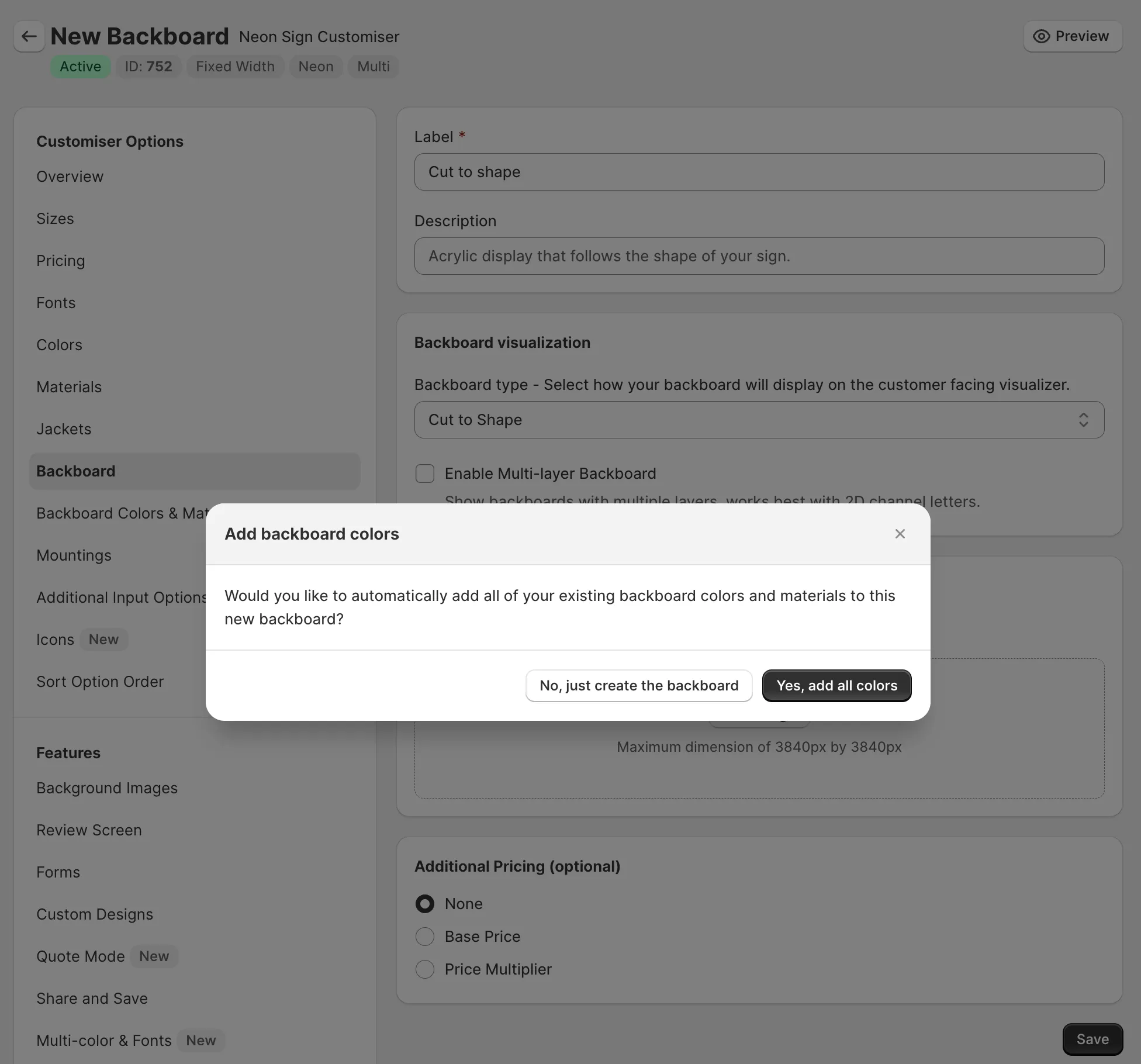
Automatically add colors to new backboards

Adding colors to your new backboards used to be a time-consuming process as it required you to go into each color and manually add it to the new backboard.

Our latest update will now prompt you when creating new backboards to add all existing colours to the new backboard, saving you time and effort.

Automatically add colours to new backboards

Oct 21, 2024

2024.10

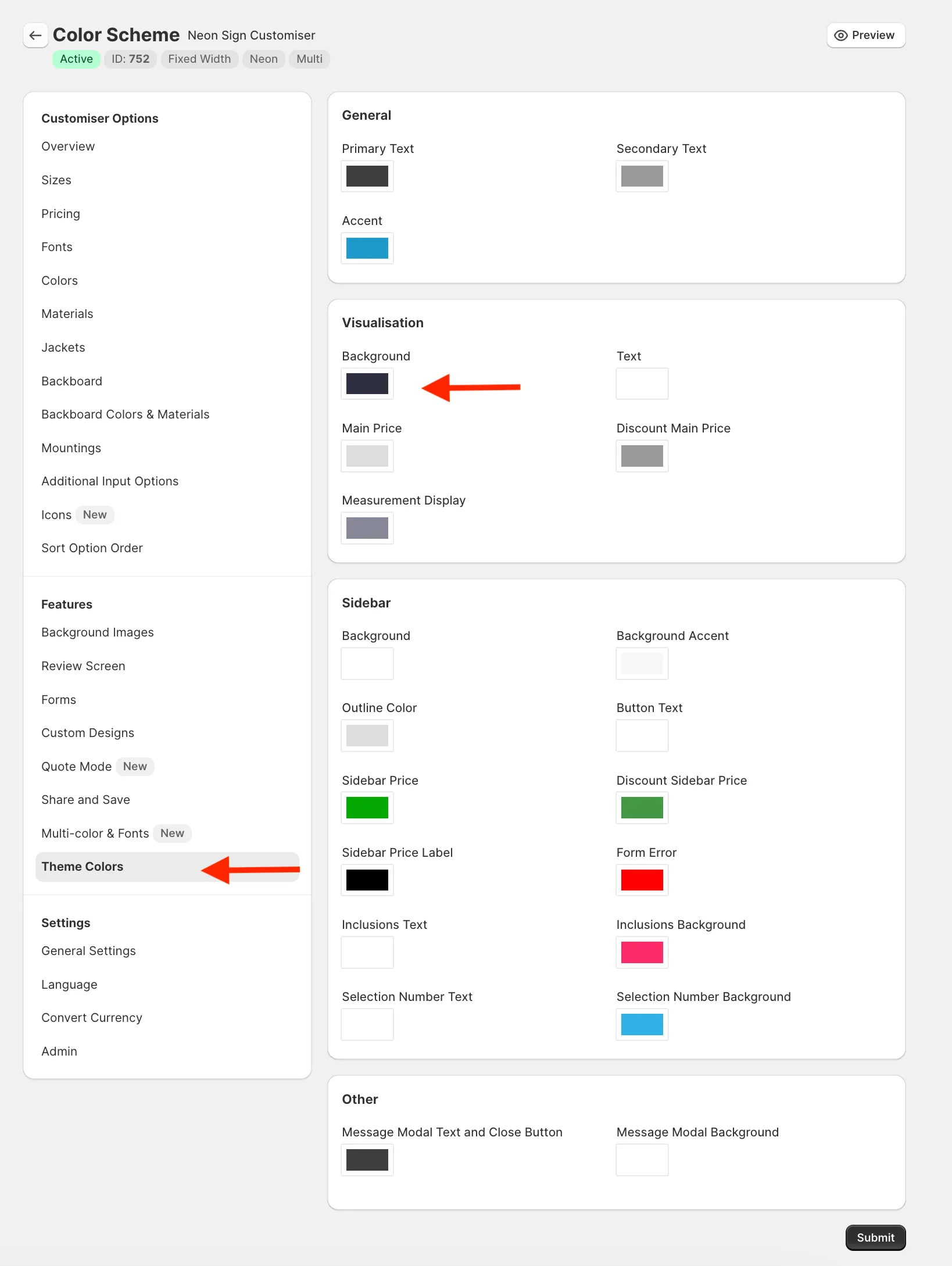
Visualisation background colour

You can now customise the background colour of the visualiser from within the admin app. Previously you could only modify this via CSS, but now you don’t need to write any code.

To change the background colour, go to the “Theme Colours” section of the customiser settings and adjust the “Background” setting under the “Visualisations” card.

Admin settings

You can also adjust the colour of the text in case the default is not visible enough on your new background.

Sep 19, 2024

2024.9

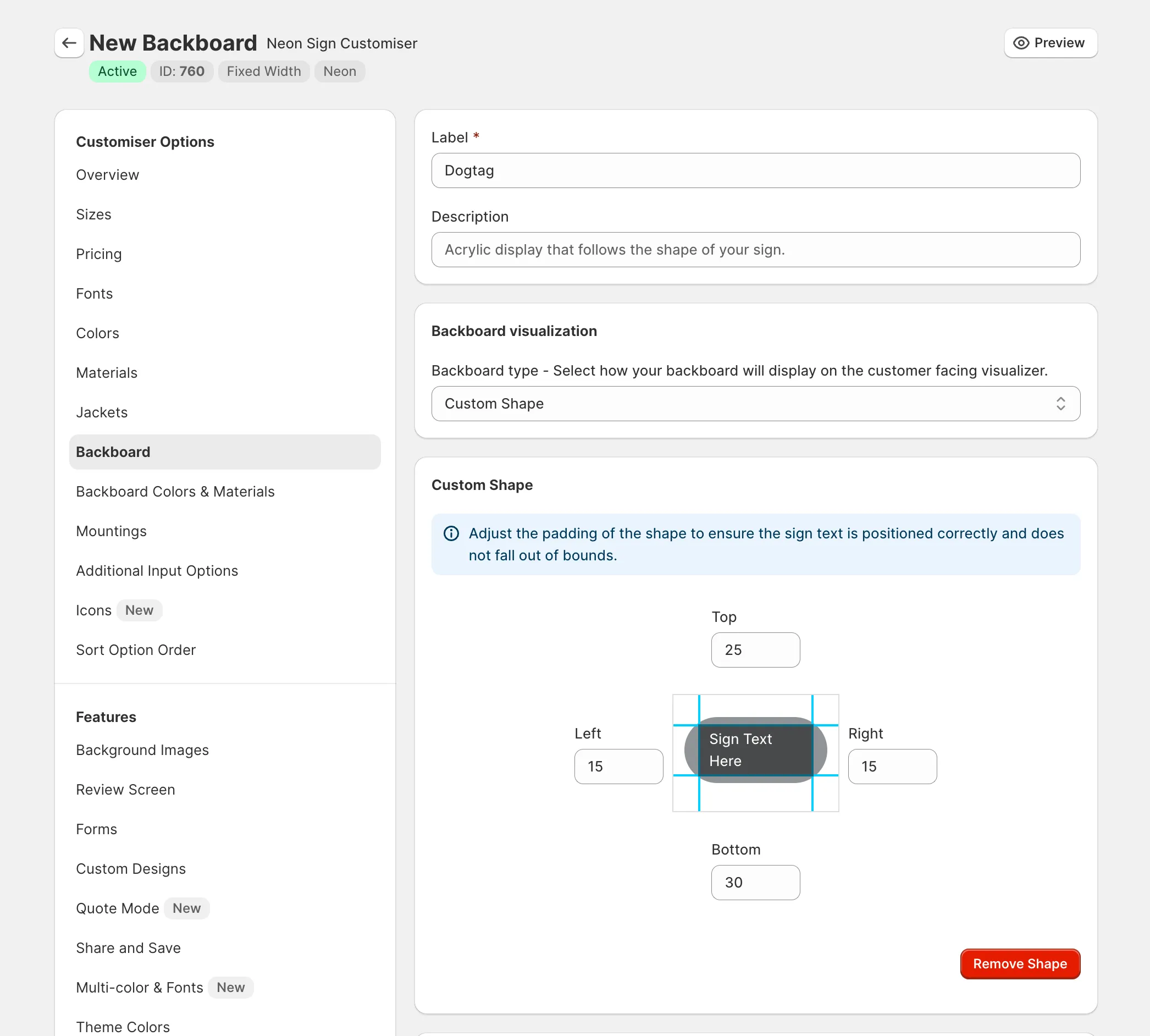
Custom Backboard Shapes

You can now upload your own SVG files to create unique backboard shapes for your signs, or choose from our provided library of shapes.

This feature, combined with the new backboard textures, allows you to sell any type of sign you can imagine.

Custom backboard shapes

Read more about how to use this new feature on our documentation:

/help/features/custom-backboard-shapes/

Sep 17, 2024

2024.9

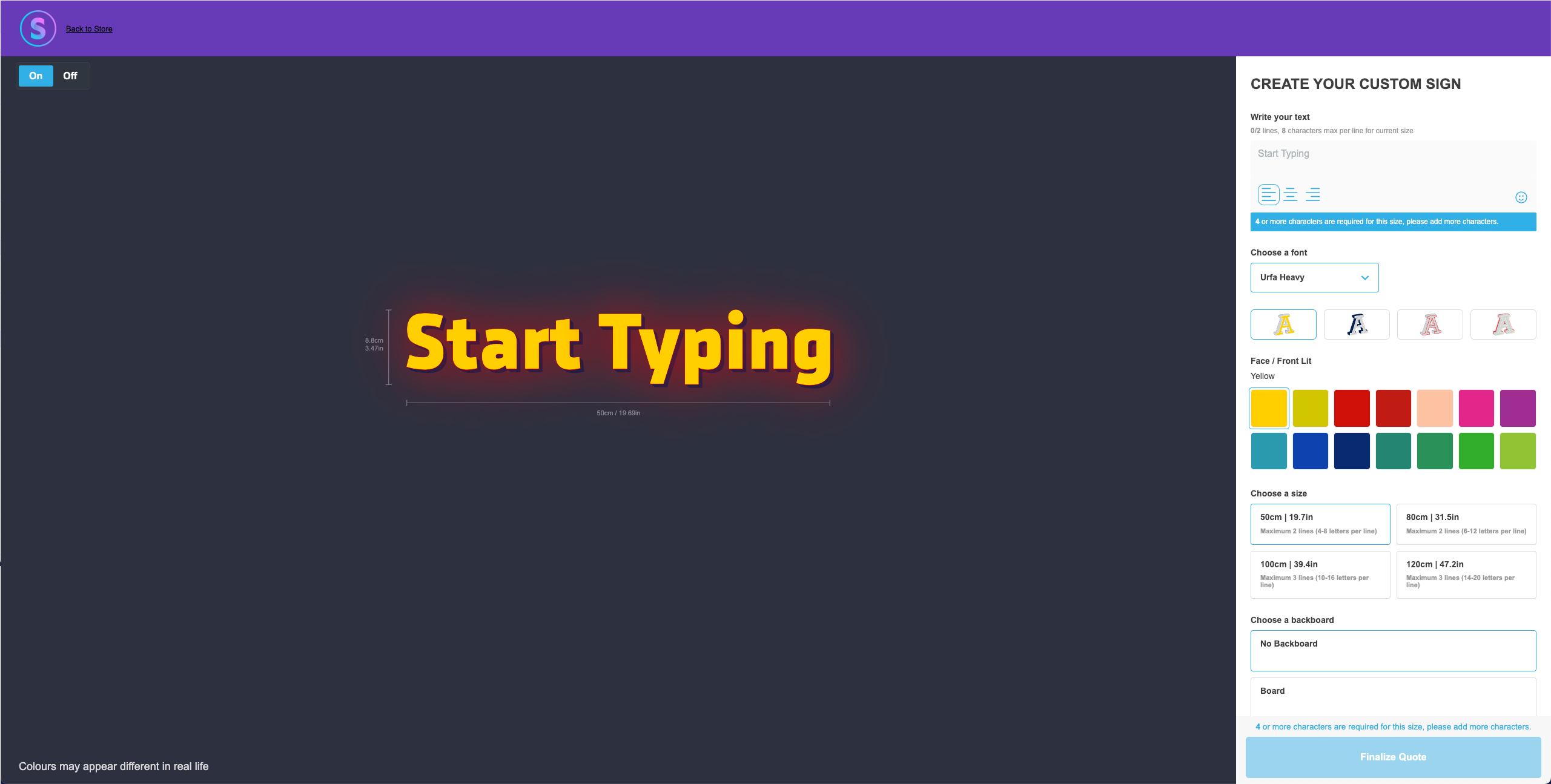
Hosted customiser pages

You can now generate unique links for your quote mode customisers that when navigated to will display the customiser in a page hosted by us.

This means that you dont even need to have a website to start using Sign Customiser anymore.

This opens up a whole new world of possibilities for you to win more sign sales online as you can include these special links all across the web.

Hosted customisers screenshot

Learn more about this feature by reading the documentation:

/help/integrations/hosted-customisers/

Sep 13, 2024

2024.9

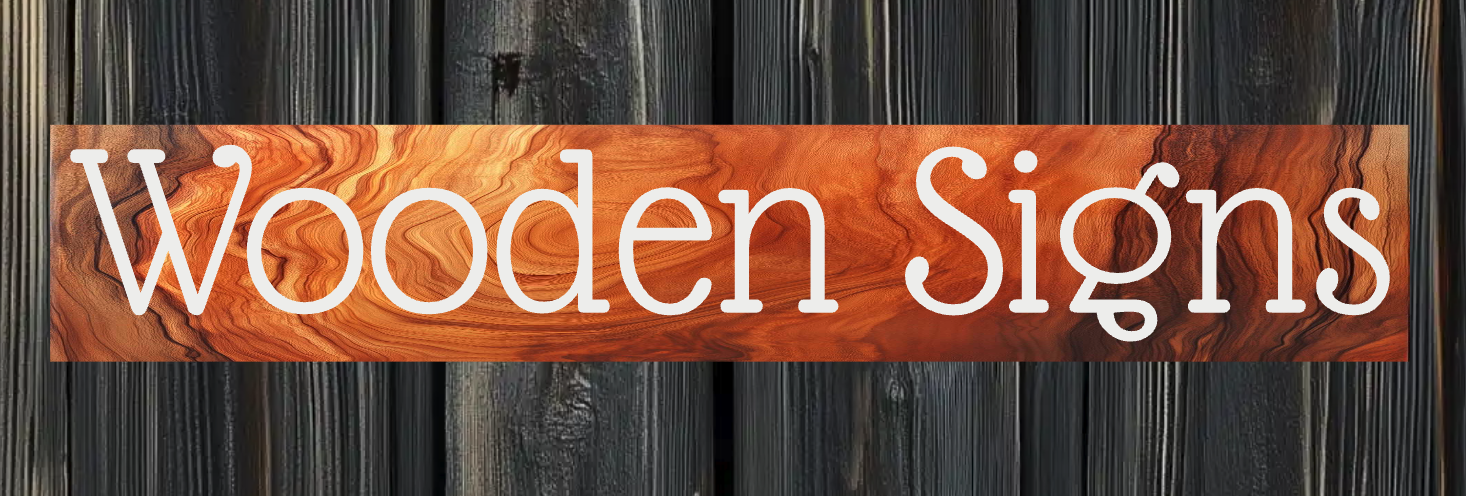
Backboards with texture images

You can now upload a image to give the visual appearance of the real texture.

This is a great way to visually represent the material of your backboard to your customers as its clearly visible in the visualiser.

Using this feature allows you to sell new sign types like wooden signs or signs with visually unique material properties that extend beyond our current range of supportedsigns.

Backboard textures

To find out more about how to create backboard textures, please visit our documentation:

/help/features/backboard-colors-images-textures-and-materials/

Sep 12, 2024

2024.9

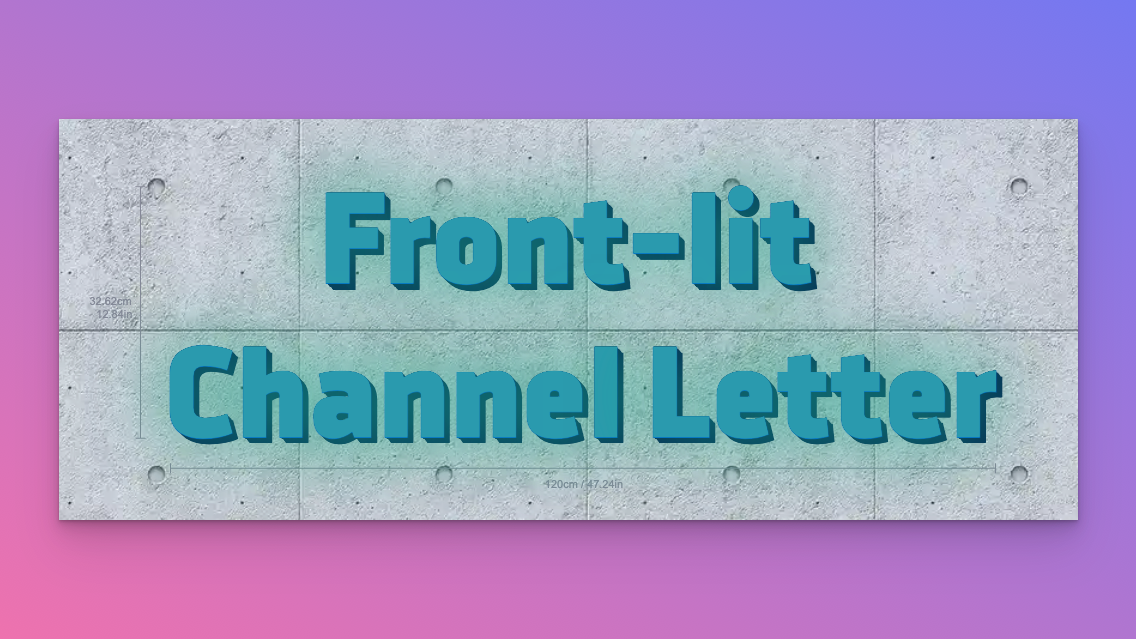
Front Lit option added to channel signs

You can now add front lit options to your channel signs. This will allow you to create signs that are illuminated from the front.

Front lit channel letter signs available on Sign Customiser

For instructions on how to do so, please refer to this guide.

Sep 6, 2024

2024.9

Fix SVG word spacing consistancy

The wordings in the SVG file was not consistent with the design shown on the visualiser and rendered product image, this update provides a fix to ensure the word spacing is consistent with the original designs presented to the customer and merchants.

This will improve the manufacturing process as the SVG file designs can now be trusted to be consistent with the final product.

Sep 4, 2024

2024.9

Quote Mode

You now have the ability to receive quotes of sign designs created by the user in our app.

As these designs have already been created by the user already, this will save alot of time with the design approval process by reducing revisions and winning the sale sooner!

Quote custom sign designs using Sign Customiser

By default, Sign Customiser is set to “Sales Mode,” which allows you to create a product and add it to your store’s customer cart so that they can purchase it from your store. This feature instead hides the price from the user and allows you to accept sign design quotes.

Forms used for quote mode are different than our existing feature to embed custom design forms as quote mode forms use the design of the sign created by our app (same image as presented in the visualizer) as one of the reference images attached to the email. These generated images contains the user-selected options, e.g. colors, sizes, backboards, etc.

Why you would want to use quote mode

  • Allow users to request a quote for a sign design they have created
  • Hide the price of the product from the user
  • Receive a visual representation of the sign design in the email
  • Receive an organised list of user-selected options in the email
  • Recieve the calculated price for streamlined quoting in the email (if you have added pricing for the options)

For instructions on how to enable quote mode, please refer to our documentation.

Sep 4, 2024

2024.9

Exlcude specific colors from yes / no options

You can now exclude specific colors from the Yes / No option type.

This enhancement provides you with greater flexibility and control, ensuring that only the desired combinations are available for your products.

You can find these options when editing or creating a new “Addtiional Options” and selecting the Yes / No option type:

Learn how to do so here

Sep 4, 2024

2024.9

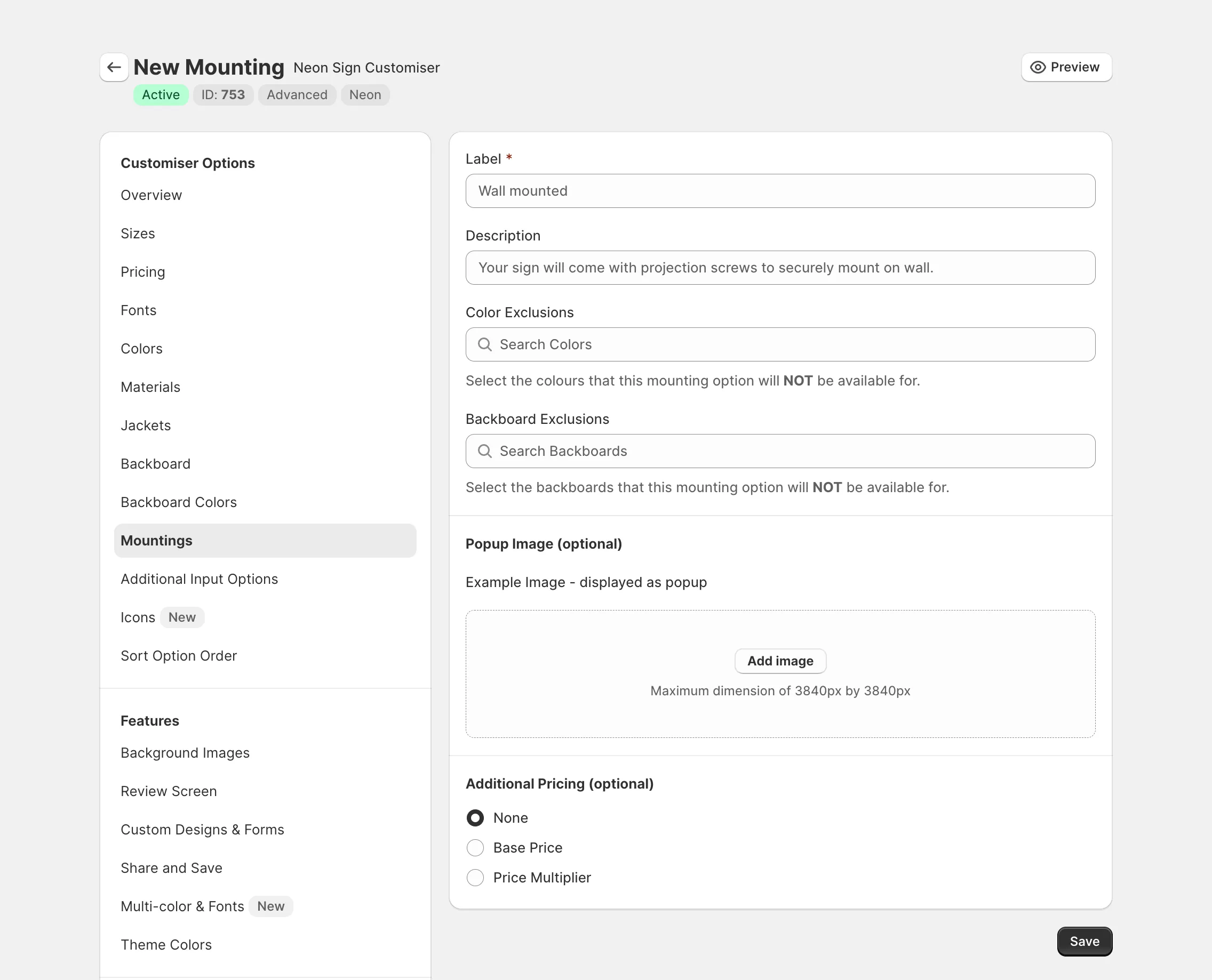
Exclude Specific Colors and Backboards from Mounting Options

You can now exclude specific colors and backboards from the mounting options.

This enhancement provides you with greater flexibility and control, ensuring that only the desired combinations are available for your products.

You can find these options when editing or creating a new mounting option:

Exclude colours and backboards from mounting options

Open original

Get started

Add Sign Customiserto your store today

Install now
36+ verified reviews

Login

Universal Sign In
  • WordPress
  • Wix
  • Etsy
  • Squarespace
  • Webflow

Or, if on Shopify, navigate to your store admin to login.