NewTurn any image into a sign design.
Changelog

Changelog

Documenting our journey of creating a custom sign builder.

Filtered by:feature(185 updates)Page 6 of 19

Stay informed with updates every month

Or subscribe to ourRSS feed

Jun 11, 2026

2026.6

More realistic clear acrylic cut backboards

Cut-to-shape and cut-to-letter backboards now look like the real thing in the customiser. When no backboard colour is selected, Sign Customiser previews the backing as clear acrylic with a crisp cut edge that follows your design — matching how a finished neon sign actually looks — instead of a flat grey panel.
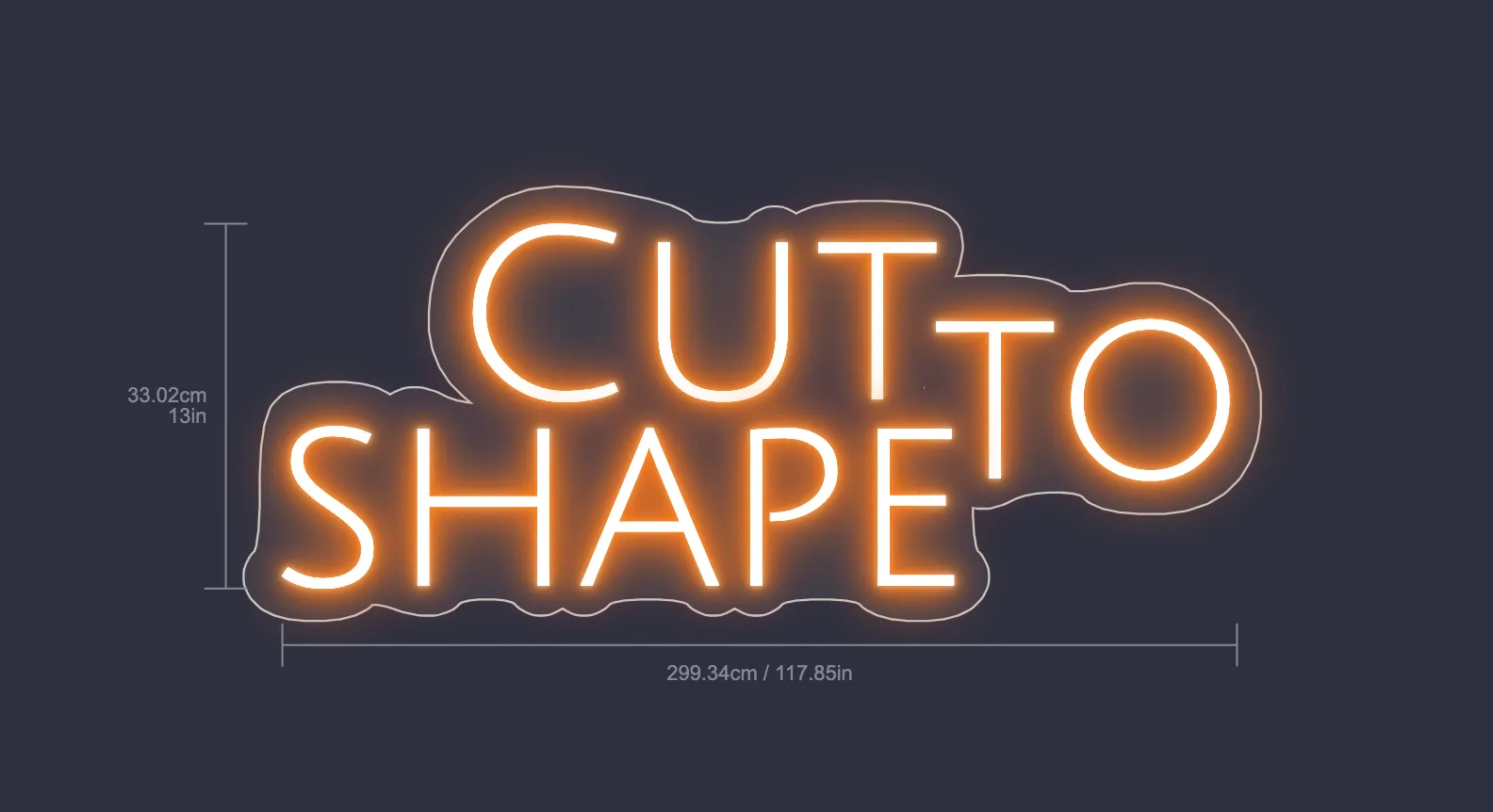
Neon sign reading "CUT TO SHAPE" on a clear acrylic backboard with a visible cut edge tracing the letters

What’s Changed

  • Clear acrylic by defaultWith no backboard colour chosen, cut-to-shape and cut-to-letter backboards now render as clear acrylic rather than a solid grey shape.
  • Visible cut edgeA clean cut line traces the outer edge of the design — the whole silhouette for cut-to-shape, and each letter for cut-to-letter — just like light catching the edge of real acrylic.
  • A more accurate previewCustomers see a truer representation of their finished neon sign, helping them feel confident in their design before adding it to the cart.
Jun 3, 2026

2026.6

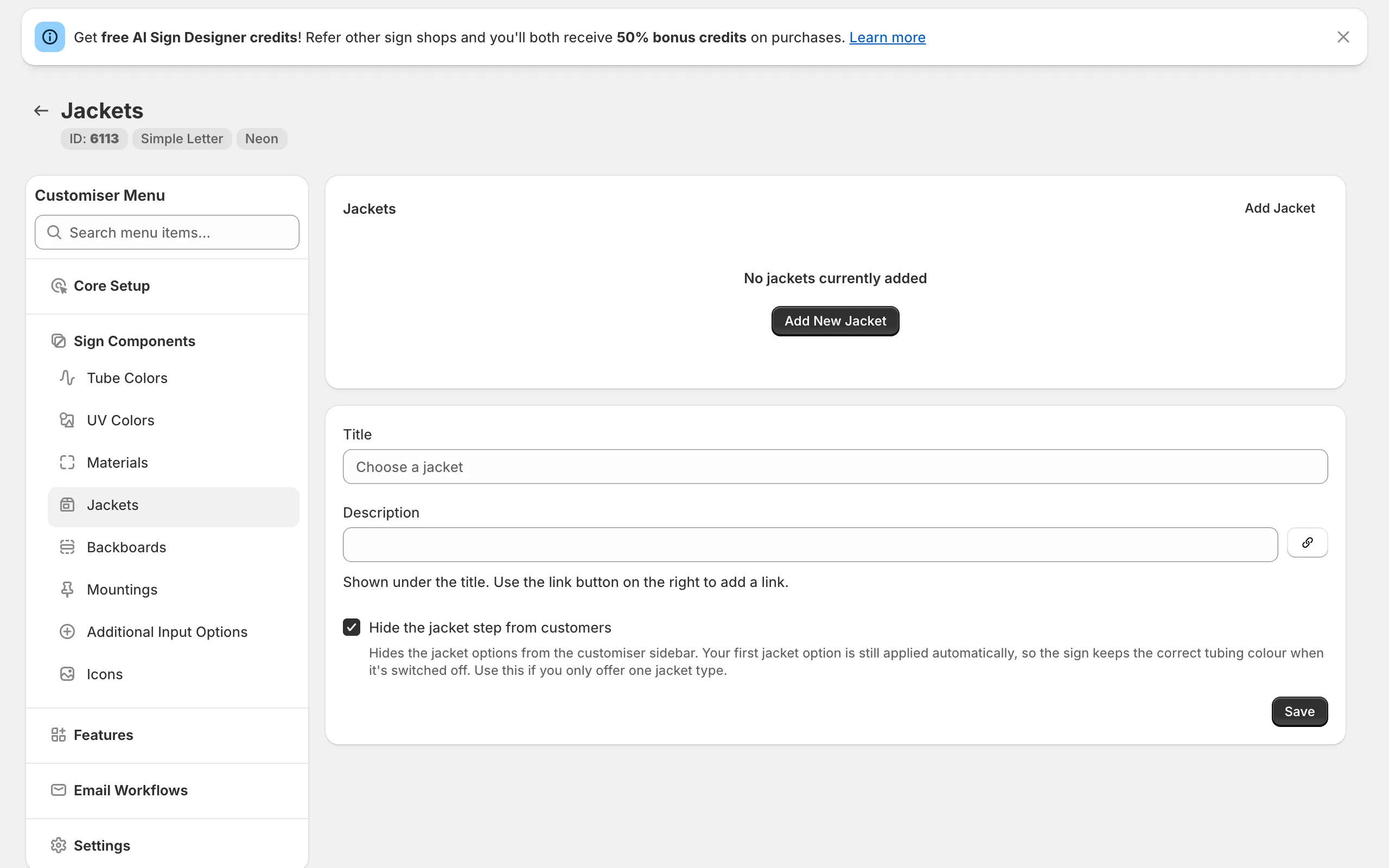
Hide the jacket step for simpler neon customisers

Many neon shops offer just a single jacket option, so the extra jacket step in the customiser asked customers to make a choice they never really needed to make. Sign Customiser now hides the jacket step by default on new neon customisers, giving shoppers a shorter, more focused path to checkout — without changing how your signs are built.

Jacket settings in the Sign Customiser admin showing the new "Hide the jacket step from customers" checkbox

Behind the scenes, your first jacket option is still applied automatically, so every sign keeps the correct tube colour and your orders carry exactly the same details as before. And if you do offer more than one jacket type, a single setting brings the step straight back.

What’s Changed

  • Cleaner customiser by defaultNew neon customisers hide the jacket step, removing it from both the design sidebar and the order summary
  • Correct tube colour kept automaticallyYour first jacket option is still applied in the background, so signs render correctly and orders are completely unaffected
  • One setting to show or hideA new “Hide the jacket step from customers” option in your jacket settings lets you turn the step on or off whenever you like
  • Ideal for single-jacket shopsPerfect if you only offer one jacket type and want to keep the buying experience as simple as possible

May 22, 2026

2026.5

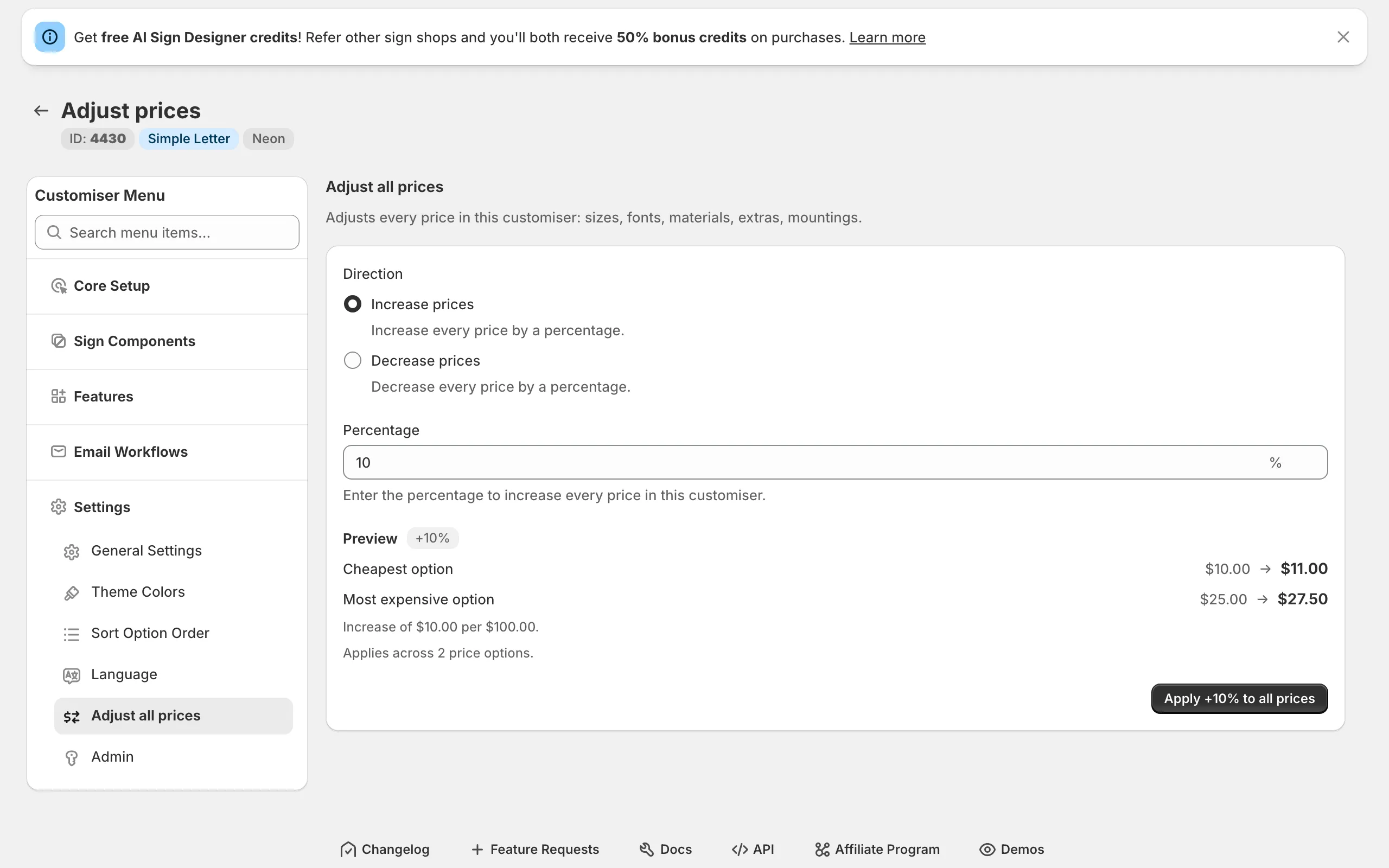
Preview and undo bulk price adjustments

Sign Customiser has rebuilt the Adjust prices page so percentage-based bulk updates feel safer to use. Before you apply a change you can see exactly how the cheapest and most expensive options will move, and if you need to back out of a price change you can undo the last bulk update without restoring values by hand.

Adjust prices admin page showing a percentage increase with a live before-and-after price preview

What’s Changed

  • Live before-and-after previewEnter a percentage and instantly see how the cheapest and most expensive options in your customiser will change, including the per-£100 impact of the adjustment
  • Confirmation modalReview the full price range and the number of options affected in a confirmation dialog before any changes are saved
  • One-click undoRoll back the most recent bulk update from the same screen, with a clear note of who applied it and when
  • Safer rollbacksSign Customiser detects when individual prices have been edited since the last bulk update and prevents the undo from quietly overwriting your manual changes
  • Accurate projectionsPreviews use the same rounding rules as the saved price, so the numbers you see in the preview match the numbers your customers will see

Metal cut-out signs

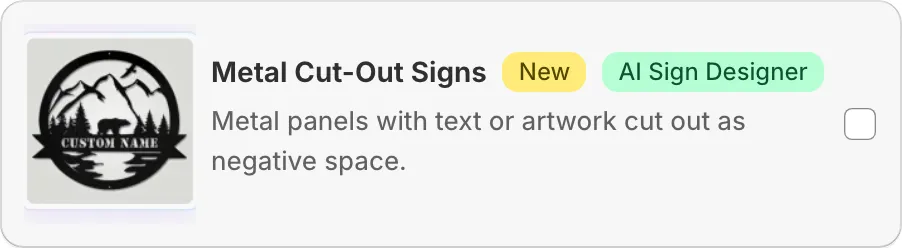
Sign Customiser now ships a dedicated Metal Cut-Out Signs product type. Customers pick a panel shape and type or upload their design, and the sign is rendered as a clean negative-space cut-out from a metal panel — ready to send straight to the laser cutter.

New Metal Cut-Out Signs product card in the customiser create flow, with cut-out bear and mountain artwork

What’s Changed

  • New Metal Cut-Out Signs product typePick “Metal Cut-Out Signs” in the customiser create flow alongside neon, channel letters, lightbox, wood, and address numbers. Onboarding seeds a complete starter customiser with panels, panel colours, mountings, and an outdoor finishing extra so the new product is ready to sell as soon as it’s created
  • Six pre-built panel shapesRectangle, rounded rectangle, circle, oval, classic plaque, and banner panels are included out of the box, each with sensible text padding so the cut-out design always sits comfortably inside the panel edge
  • AI Sign Designer supportCustomers can upload a logo or describe the sign they want and the AI Sign Designer generates clean stencil-style artwork shaped to the selected panel, ready to be cut from metal in a single piece
  • Panel colour and material libraryA starter library of panel finishes — including raw steel — applies across the visualiser so shoppers see their cut-out design on the actual material they’ll receive
  • Mounting and finishing optionsWall standoffs and pre-cut hanging holes ship as mounting choices, with an optional outdoor clear coat extra for signs that need extra protection against the weather
  • Frame fit pricing built inCut-out signs use area-based frame fit pricing, so quotes scale naturally with panel size using the same pricing model already powering backboards and lightbox signs

May 12, 2026

2026.5

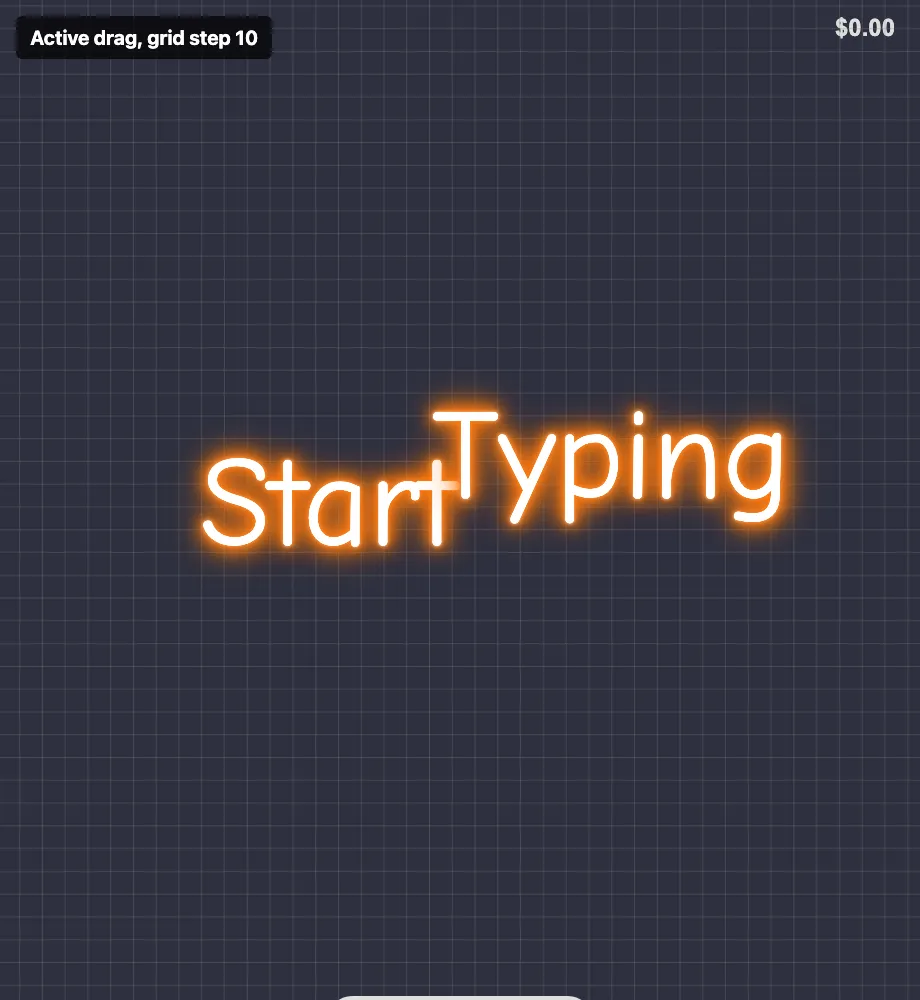
Adjustable snap-to-grid spacing

Sign Customiser now lets merchants adjust the snap-to-grid spacing used when customers drag elements around the visualiser. Smaller signs no longer have to use the previous 20-unit grid, so you can give customers finer control when positioning words and shapes.

Customiser visualiser showing an active snap-to-grid overlay

What’s Changed

  • Adjustable grid stepThe Drag, Scale and Rotate settings now include a grid step field when Snap to Grid is enabled
  • Finer control for small signsMerchants can choose a smaller step to make positioning feel less jumpy on compact designs
  • Same default behaviourExisting customisers continue to use the previous 20-unit grid unless a new value is saved
  • Clearer visual feedbackThe grid overlay shown during drag and transform actions now matches the selected spacing

A quality leap for AI-generated neon sign designs

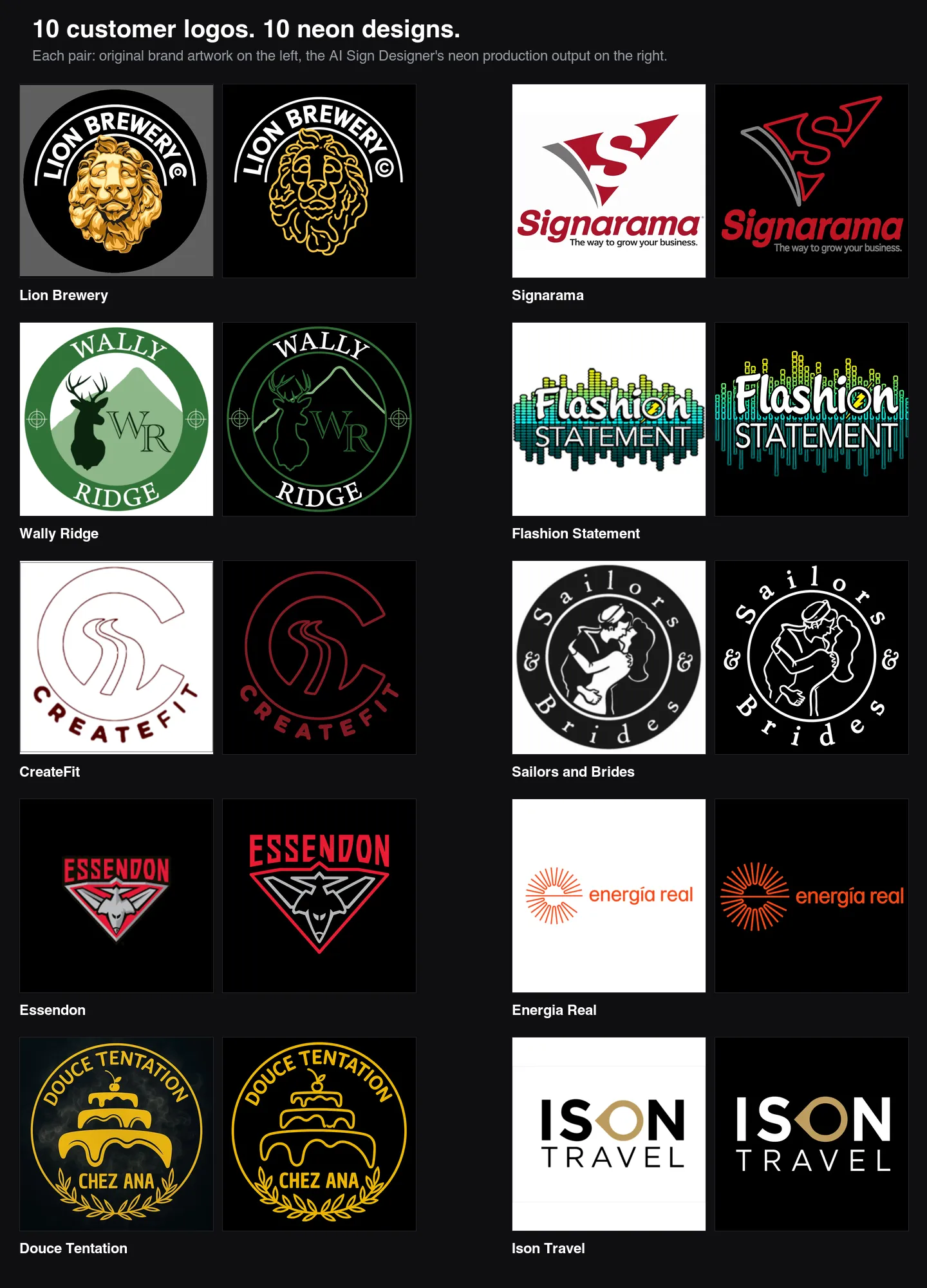
The AI Sign Designer has taken a significant step forward at converting customer-supplied logos into neon production artwork. When shoppers upload a brand logo and ask for a neon sign, the output now looks like a clean tube layout your shop could quote and build, with the original wordmark, colours, and proportions intact.

Grid of ten customer logo uploads paired with their AI-generated neon production designs, including Lion Brewery, Signarama, Wally Ridge, Flashion Statement, CreateFit, Sailors and Brides, Essendon, Energia Real, Douce Tentation, and Ison Travel — each output preserves the source wordmark, brand colours, and layout while rebuilding the graphics as flat tube paths

What’s Changed

  • Brand typography is now preserved exactlyWordmarks are traced from the original glyphs, so the source font weight, letter spacing, terminals, and curved baselines come through instead of being replaced by a generic neon script
  • Source colours map to tube coloursBrand reds, greens, blues, and other colours from the customer’s logo carry through to the neon tubes rather than collapsing to a single white tube
  • Backboards and filled badges are stripped outSolid discs, shields, dark colour fields, and panel backgrounds behind a logo are removed automatically, leaving only the foreground tubes and lettering a sign shop would actually fabricate
  • Flat production artwork instead of a glowing previewOutputs are now unlit, hard-edged, vector-style tube proofs with no halos, bloom, or photographic glow effects, so what you see is what you’d quote
  • Taglines and small lettering surviveThin, light, or widely spaced text is no longer fattened or regularised; small straplines like “The way to grow your business” remain readable and on the right baseline
  • Cleaner separation of text and graphicsLetters stay solid filled, while icons, animals, and decorative shapes are rebuilt as sparse tube paths with negative space between them — matching how a real neon sign is built
  • More consistent results from the same uploadNeon prompts now run with tighter generation settings, so re-running the same logo produces noticeably less variation between attempts

May 5, 2026

2026.5

Show which characters a font can't render

Sign Customiser now tells customers exactly which characters in their text the chosen font can’t render, instead of a generic “invalid characters” warning. The same check has been extended across every sign type and runs again at add-to-cart, so orders with unrenderable text can no longer slip through to the merchant.

What’s Changed

  • Specific character feedbackThe “invalid characters” message now lists the exact glyphs the font is missing, so customers know whether to fix a typo, swap a symbol, or pick a different font
  • Coverage across all sign typesFont glyph validation previously only ran for material-length pricing; it now runs for every sign that uses customer-typed text
  • Add-to-cart safety netIf an unsupported character slips past the live warning, the customiser now blocks add-to-cart and surfaces the same specific message, preventing unrenderable orders from reaching the merchant
  • Updated default labelThe default invalid-characters label includes a {characters} placeholder so merchants who customise the wording still see the offending characters listed in their own copy

May 4, 2026

2026.5

Vertical writing for Chinese-Japanese-Korean signs

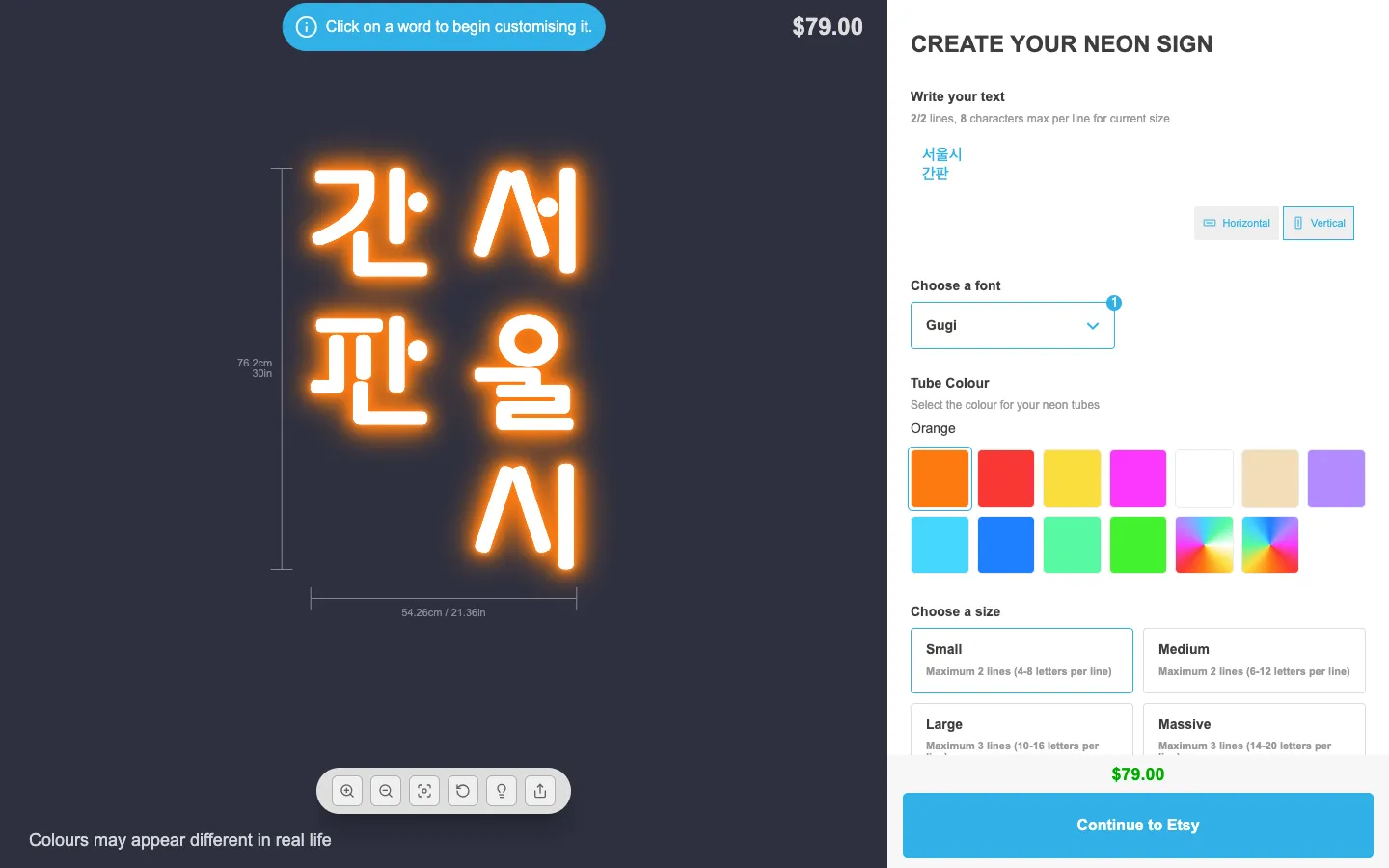
Sign Customiser now supports proper top-down vertical writing for multilingual signs. Merchants can configure whether vertical columns read right to left or left to right, so customers can type natural multi-line text while the preview and manufacturing output keep the intended layout.

Customiser preview showing Korean text rendered in two top-down right-to-left columns beside the Vertical orientation controls

What’s Changed

  • Multi-column vertical textEach typed line becomes its own top-down column, making vertical Japanese, Traditional Chinese, Korean, and traditional Mongolian layouts practical for customer-facing customisers
  • Merchant-controlled column directionChoose right-to-left columns for Japanese, Traditional Chinese, and Korean signs, or left-to-right columns for traditional Mongolian signs
  • Natural order detailsCart details, order data, and exports keep the customer’s original typed text instead of replacing it with a generated column representation
  • Pricing stays logicalBase line pricing follows the typed input lines while letter charges still apply to each visible character
  • Font guidance in settingsThe admin settings now remind merchants to upload fonts with the glyph coverage needed for their target language

May 3, 2026

2026.5

Address sign numbers with vertical stacked text

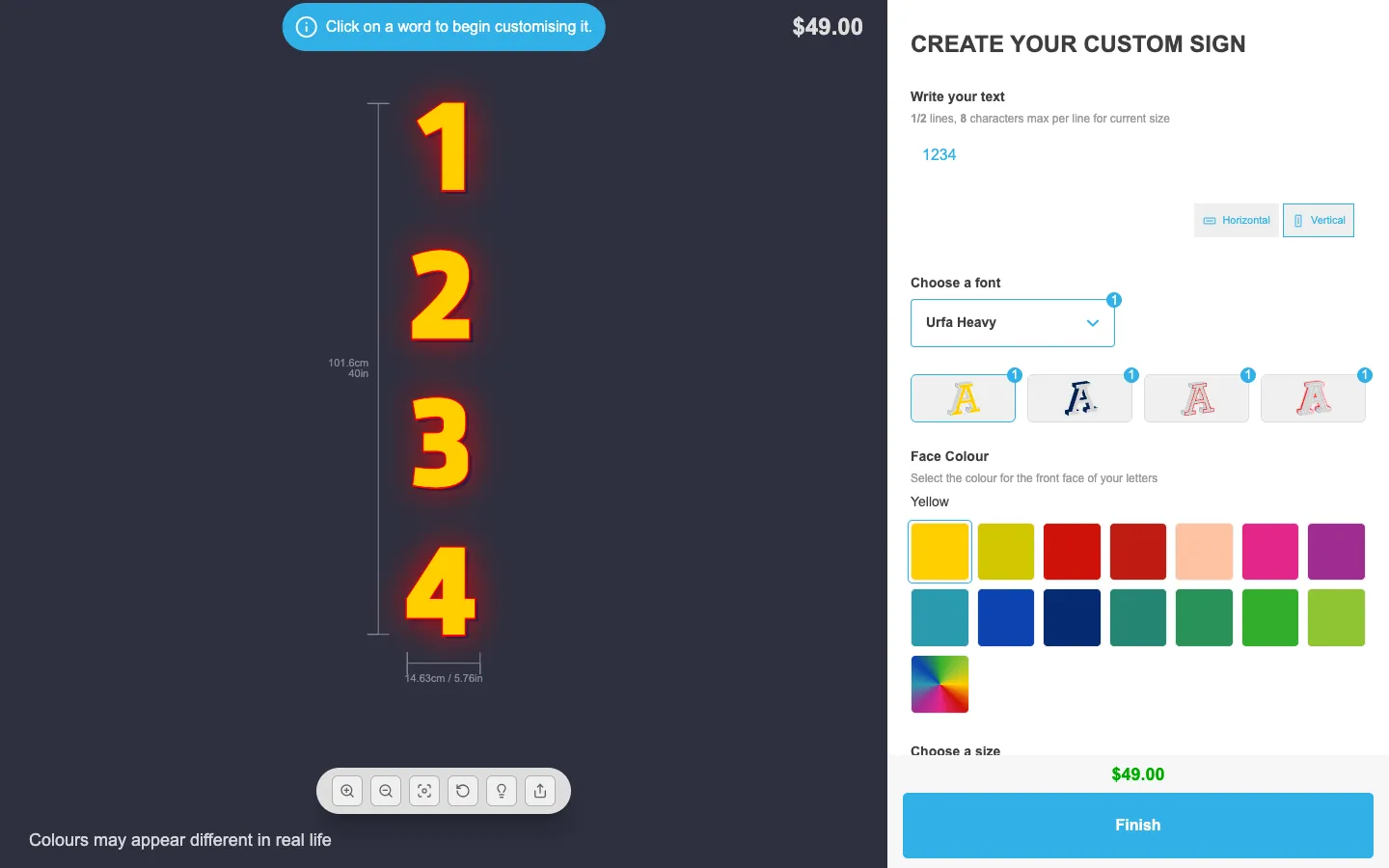
Sign Customiser now supports vertical stacked text and ships with a ready-made Address Sign Numbers customiser that uses it by default. Customers can stack each digit or letter on its own line for door numbers, house plaques, and any signage where characters need to read top to bottom rather than left to right.

Customiser preview showing the digits "1234" stacked vertically with the new Horizontal and Vertical orientation toggle next to the text input

What’s Changed

  • New Address Sign Numbers product typePick “Address Sign Numbers” in the customiser create flow to spin up a new acrylic-backed customiser tuned for door and house numbers, with the orientation toggle already enabled
  • Vertical stacked text orientationA new orientation control lets each character drop onto its own line, with positions, sizing, and pricing all calculated from the stacked layout rather than a horizontal row
  • Three orientation modes per customiserLock the customiser to horizontal only, lock it to vertical stacked only, or let customers switch between the two from a Horizontal / Vertical toggle next to the text input
  • Configurable default orientationChoose whether the customiser opens with horizontal or vertical selected when both options are available, so the most common choice is just one click
  • Customisable orientation labelsOverride the “Horizontal” and “Vertical” labels from the Labels page to match your store’s voice or translate them into another language

Apr 29, 2026

2026.4

Light and Tokyo Night theme presets for customiser colours

Sign Customiser now ships with one-click theme presets for the customiser’s colour scheme. Pick a starting point that already looks great, then tweak individual colours from there — no more building a coordinated palette from scratch every time you launch a new customiser.

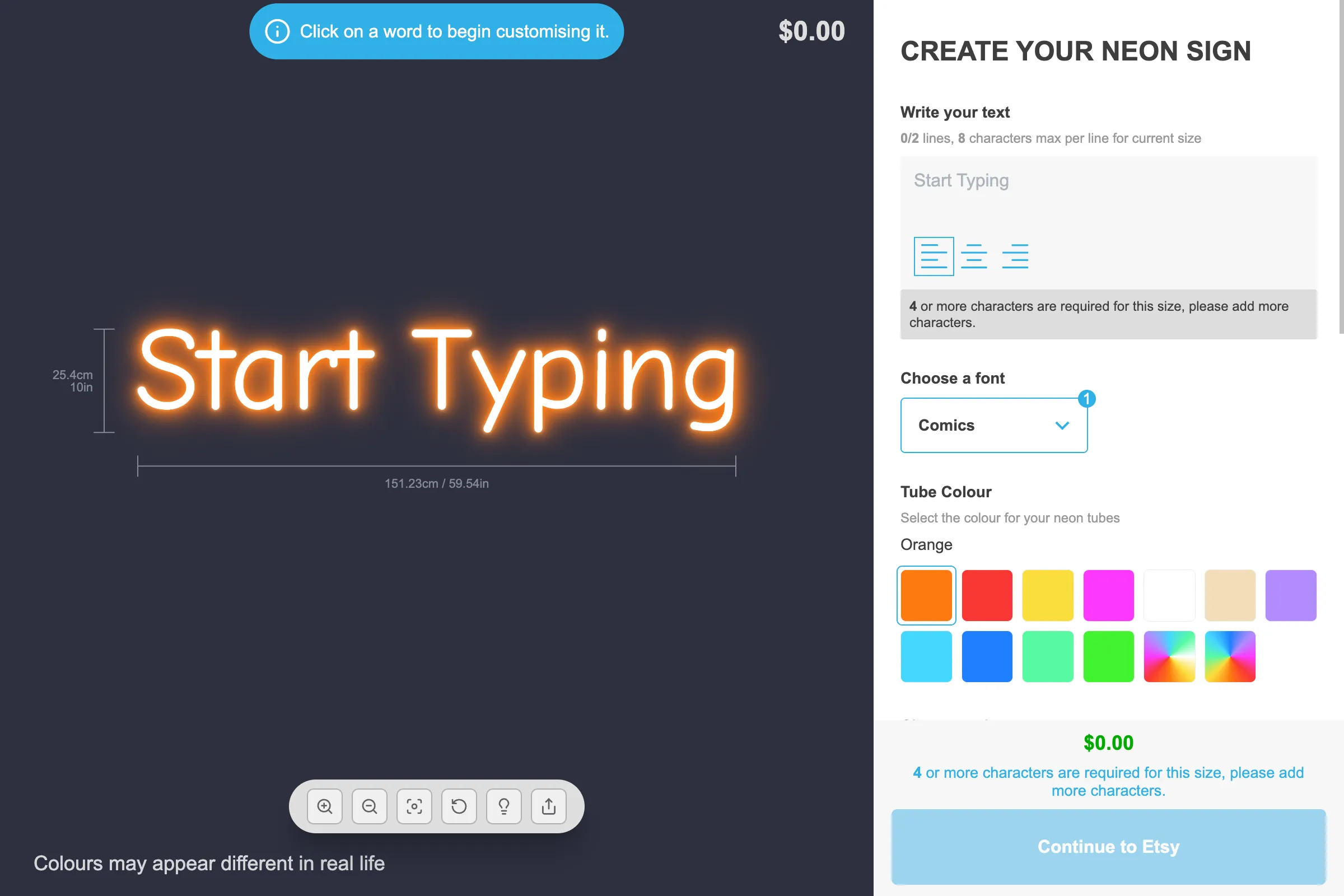
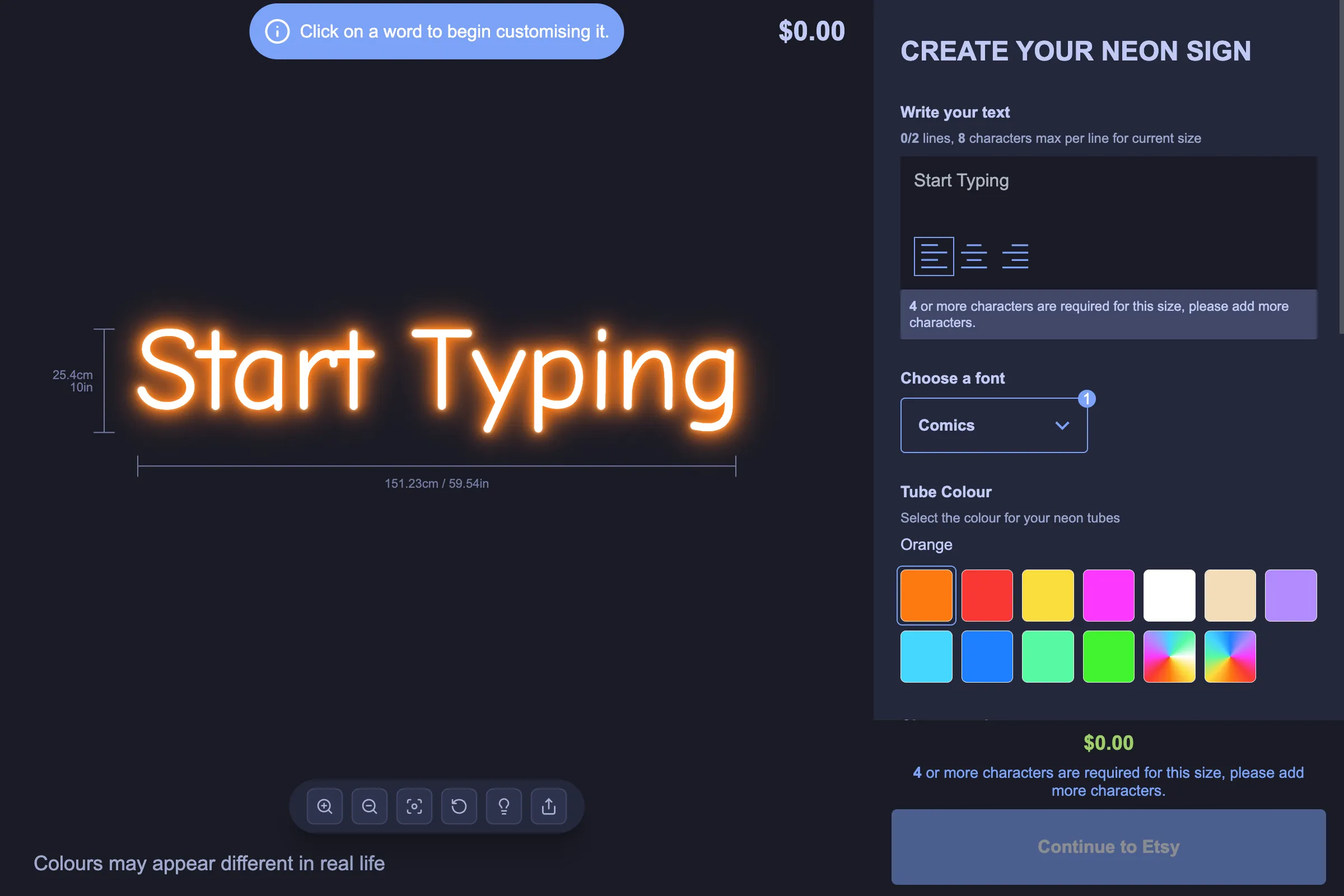
Customiser preview using the default Light theme presetSame customiser using the new Tokyo Night theme preset

What’s Changed

  • Light and Tokyo Night presetsChoose between the default Light palette or a new midnight-inspired Tokyo Night palette with deep surfaces and soft accents
  • One-click applyA new Theme Preset card sits at the top of the Theme Colours page with colour swatches so you can preview each preset before applying it
  • Confirmation before overwriteApplying a preset replaces every colour selection on the page, so we now ask you to confirm first to protect any custom work in progress
  • Still fully customisableAfter applying a preset, every individual colour stays editable, so you can use a preset as a starting point and adjust accents, prices, or buttons to match your brand

Open original

Get started

Add Sign Customiserto your store today

Install now
36+ verified reviews

Login

Universal Sign In
  • WordPress
  • Wix
  • Etsy
  • Squarespace
  • Webflow

Or, if on Shopify, navigate to your store admin to login.