NewTurn any image into a sign design.
Changelog

Changelog

Documenting our journey of creating a custom sign builder.

Filtered by:feature(185 updates)Page 9 of 19

Stay informed with updates every month

Or subscribe to ourRSS feed

Feb 24, 2026

2026.2

Customisable email templates for custom design submissions

Sign Customiser now gives you complete control over the content and layout of custom design submission emails. Using a powerful template editor with Mustache syntax and Markdown support, you can structure these emails exactly how you need them for your workflow—whether that’s optimising for forwarding to manufacturers, integrating with your CRM, or simply making the information easier to scan.
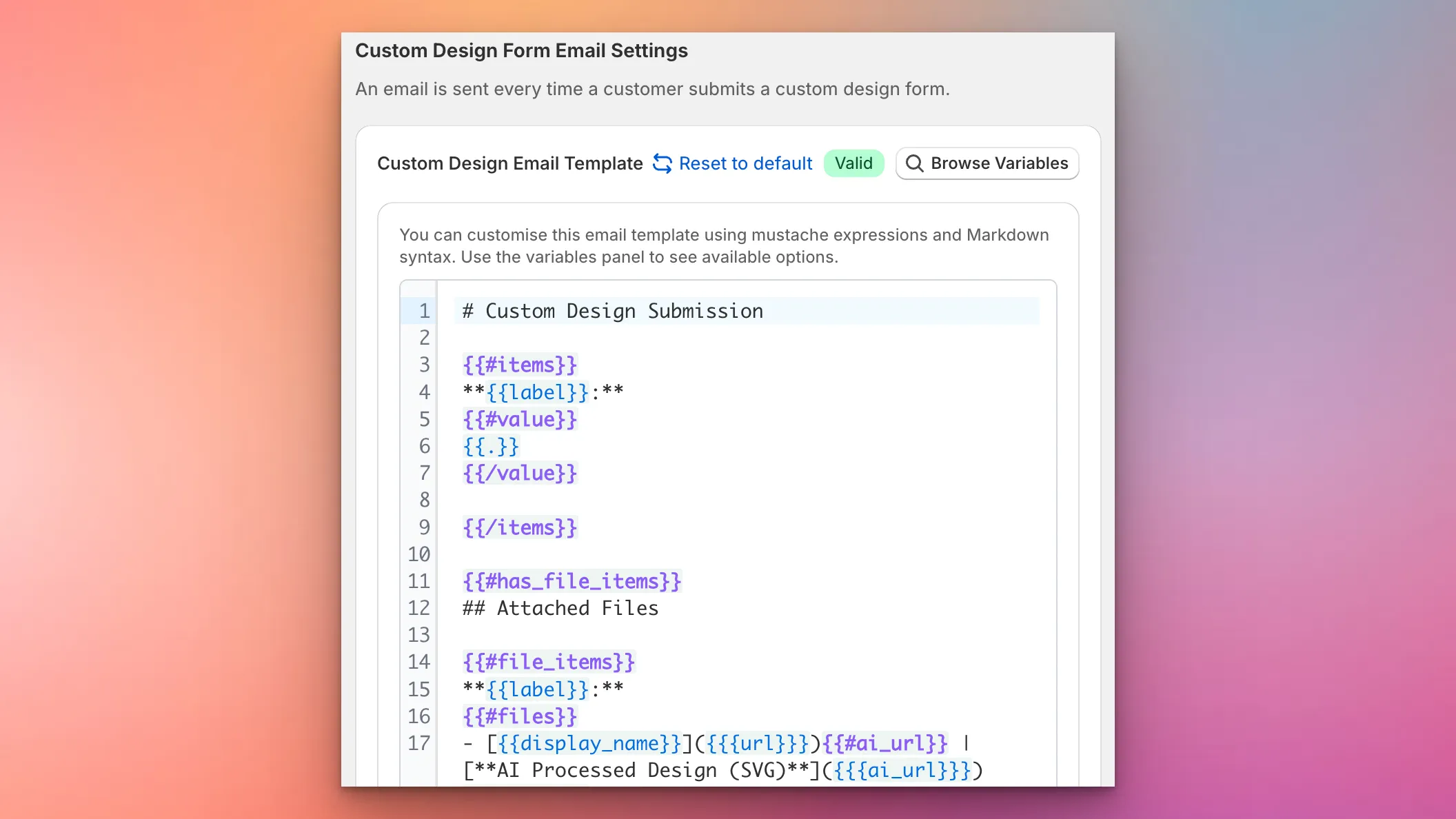
Custom Design Form Email Template Editor

What’s Changed

  • Custom email template editorA new template editor in the Custom Design Form settings lets you define exactly how submission emails are structured using Mustache expressions and Markdown
  • Full variable supportAccess all form field values, uploaded files, product images, and AI-processed designs through template variables
  • Live validationThe editor validates your template syntax in real-time and highlights any errors before you save
  • Variable reference panelBrowse all available template variables with examples and descriptions, making it easy to build your perfect email layout
  • Reset to defaultOne click restores the default email template if you want to start fresh
  • Graceful fallbackIf there’s ever an issue with your custom template, emails automatically fall back to the default format so you never miss a submission

Feb 5, 2026

2026.2

Pricing Transparency and Custom Sizing Improvements

Sign Customiser now shows a detailed breakdown of material length and cost for each individual word when using the Advanced Letter (Material Length) pricing model. This gives merchants greater transparency into exactly how pricing is calculated. We’ve also added a visual indicator to help customers understand when they’ve modified their custom size.

What’s Changed

  • Per-word material breakdownThe price display now shows each word with its material length and individual cost, making it easy to see exactly where the price comes from
  • Accurate scaled pricingWords that have been resized using drag-to-scale now correctly reflect their scaled dimensions in material length calculations
  • Improved price transparencyMerchants can now see the total material length alongside individual word lengths, providing a clearer understanding of overall pricing calculations
  • Custom size lock indicatorAn animated lock icon now appears next to custom sizing options, showing when a size has been manually modified. Clicking the lock resets the size back to defaults

Jan 29, 2026

2026.1

Custom branded emails for your sign business

Sign Customiser now lets you brand the order and design submission emails you receive. Upload your logo, set your primary colour, and add your website link so that when you forward these emails to manufacturers, suppliers, or team members, they arrive with your company’s branding rather than Sign Customiser’s.

What’s Changed

  • Custom logo in emailsUpload your store’s logo and it will appear in the email header, ready for forwarding
  • Brand colour themingSet a primary colour that automatically applies to email buttons, links, and accents
  • Website link in headerEmails link back to your own website instead of the default Sign Customiser URL
  • One-click toggleEnable or disable branded emails at any time from the new Brand section in Store Settings
  • Professional sign-offEmails close with your business name, with a subtle “Powered by Sign Customiser” in the footer

Jan 22, 2026

2026.1

Add thumbnail images to selection buttons

Sign Customiser now lets you add thumbnail images to your selection buttons, making it easier for customers to visually identify different options at a glance. This works for materials (letter finishes), mountings, and backboard selections.

What’s Changed

  • Button images for selectionsUpload images that display directly on the selection buttons in the customiser sidebar
  • Click to enlargeCustomers can click on button images to view them in a larger modal
  • Easy managementUpload and manage button images from the material, mounting, or support editing screens in the admin
  • Separate from popup imagesButton images are distinct from the existing popup/example images that appear when customers click the info icon

Jan 22, 2026

2026.1

Redesigned customiser admin with live preview

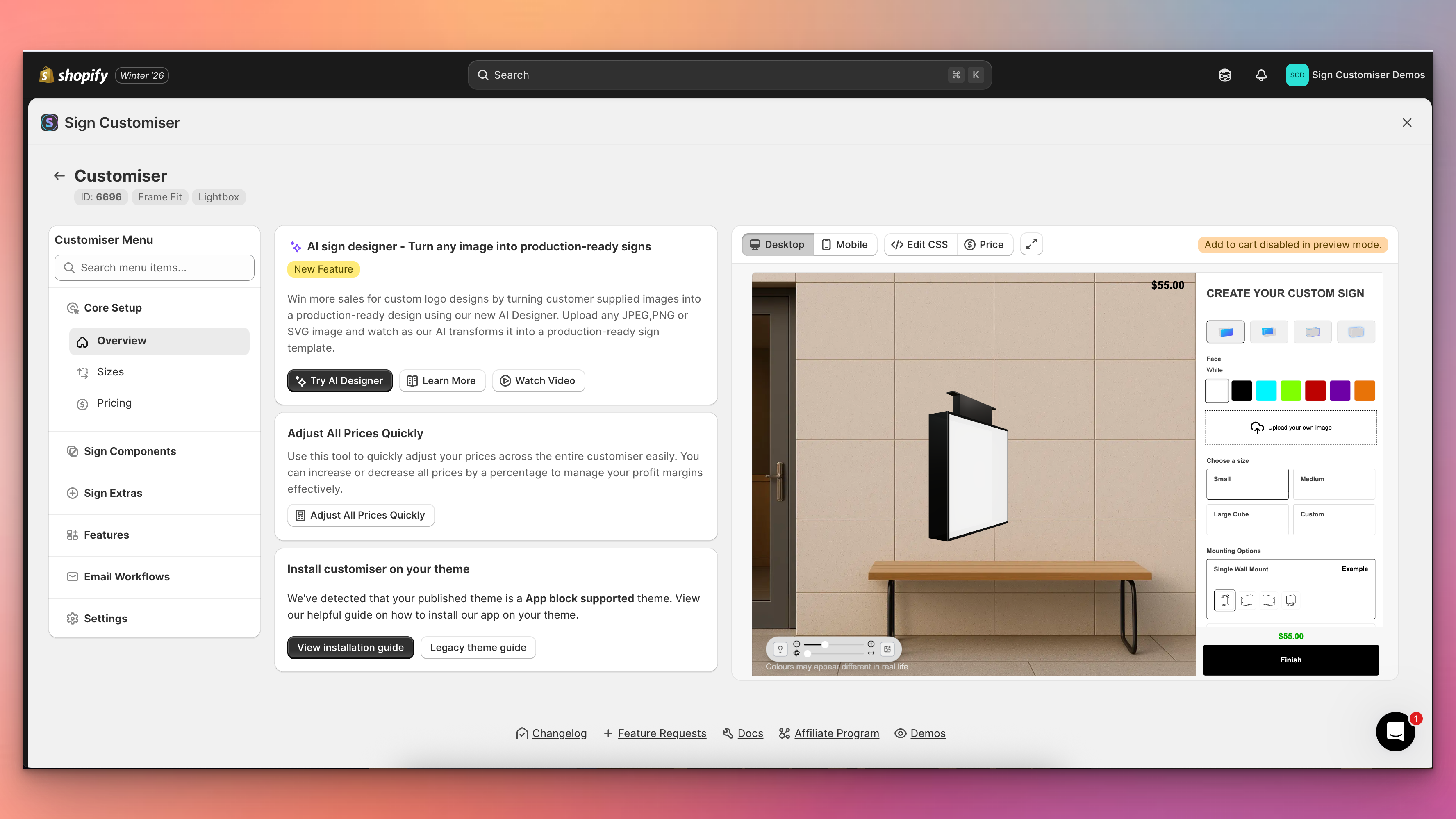
Sign Customiser’s admin experience has been transformed with a brand new three-column layout that puts your live customiser preview front and centre. You can now see exactly how your changes look in real-time without navigating away from your settings, making it faster and easier than ever to perfect your sign customiser.

Redesigned customiser admin with live preview

What’s Changed

  • Live preview panelA persistent preview of your customiser now appears alongside your settings, automatically updating when you save changes to colours, fonts, sizes, materials, and other options
  • Three-column layoutThe new layout provides a collapsible navigation menu on the left, your current settings in the centre, and the live preview on the right for an efficient workflow
  • Fullscreen preview modeClick the expand button to view your customiser in a fullscreen modal for detailed inspection, with desktop and mobile view options
  • Collapsible navigationMenu sections can now be collapsed to focus on the areas you’re working with, and includes a quick search to jump directly to any setting
  • Automatic preview refreshChanges saved to forms, tables, and settings now automatically trigger a preview refresh, eliminating the need to manually reload
  • Desktop and mobile preview switchingEasily toggle between desktop and mobile views directly from the preview controls bar to test your customiser on different devices

Jan 22, 2026

2026.1

Improved Email Threading for Form Submissions

Sign Customiser now makes it easier to manage customer enquiries by including the customer’s email address in the sender name for custom design form submissions. This simple improvement helps you quickly identify who sent each request directly from your inbox without opening the email.

What’s Changed

  • Customer email in sender nameForm submission emails now show the customer’s email address in the From field (e.g., “customer@email.com via Sign Customiser”), making it easier to identify messages at a glance
  • Better email organisationEmail clients can now group related conversations more effectively, helping you keep track of ongoing customer discussions
  • Improved CRM compatibilityCRM systems that parse incoming emails can now more easily identify and associate leads with the correct contact record, streamlining your sales workflow

Jan 19, 2026

2026.1

Earn AI purchased credits by referring other sign businesses

Know another sign business that could use Sign Customiser? Refer that business to earn AI purchased credits. When the referred Store subscribes after applying your code, you get 10 AI purchased credits. On its first qualifying AI credit purchase, you both get a 50% AI purchased credit bonus.

What changed

  • Earn AI purchased credits for referrals. Get 10 AI purchased credits when a referred Store subscribes after applying your code. You can also get a 50% AI purchased credit bonus on its first qualifying AI credit purchase.
  • Both Stores get a bonus. The referred Store also gets a 50% AI purchased credit bonus on its first qualifying AI credit purchase.
  • Share the referral. Copy your referral link, share your code, or send an email invitation from your admin.
  • 90-day referral cookie. After someone opens your referral link, Sign Customiser remembers your code for 90 days. If they sign up during this period, the code is saved for them to apply.
  • Apply the code before purchase. The referred Store must apply your code before its first qualifying AI credit purchase.

Jan 11, 2026

2026.1

Step-by-step undo for text and AI Sign Designer Custom Logos

Sign Customiser now gives your customers the power to undo their design changes step by step. Whether they’re adjusting text positions, changing colours, or fine-tuning AI Sign Designer Custom Logos, every edit is tracked and can be reversed with a single click.

What’s Changed

  • Step-by-step undo buttonA new undo button in the control bar lets customers reverse their most recent change, whether it’s moving text, adjusting a logo, or changing colours
  • Full history trackingUp to 50 design states are stored, allowing customers to step back through multiple changes if they take a wrong turn during customisation
  • Works across all elementsUndo support covers text elements, AI Sign Designer Custom Logos, position adjustments, colour changes, and font selections
  • Persistent across sessionsWhen local cache is enabled, the undo history is preserved even if the customer refreshes the page or returns later

Jan 11, 2026

2026.1

Flow RGB animated outline effect

Sign Customiser’s Flow RGB effect has been completely redesigned. Instead of filling the entire shape with animated colours, the effect now animates along the outline of your text and logo designs. This creates a more realistic neon tube simulation and unlocks the ability to use Flow RGB alongside a face colour for the first time.

Flow RGB animated outline effect

What’s Changed

  • Animated outline effectThe Flow RGB colours now cycle smoothly along the stroke/outline of text and SVG shapes, creating a realistic flowing neon tube appearance
  • Works with UV coloursYou can now combine Flow RGB with a solid UV colour, where the animated gradient appears as an outline around the filled shape
  • AI sign design supportAI sign designs now display the same animated outline effect with thicker, more visible strokes optimised for complex shapes

Jan 7, 2026

2026.1

Snap to grid for precise sign alignment

Help your customers create perfectly aligned sign designs with the new snap to grid feature. When enabled, dragging sign parts will snap them to a 20px grid, making it easier to position words, icons, and other elements with precision.

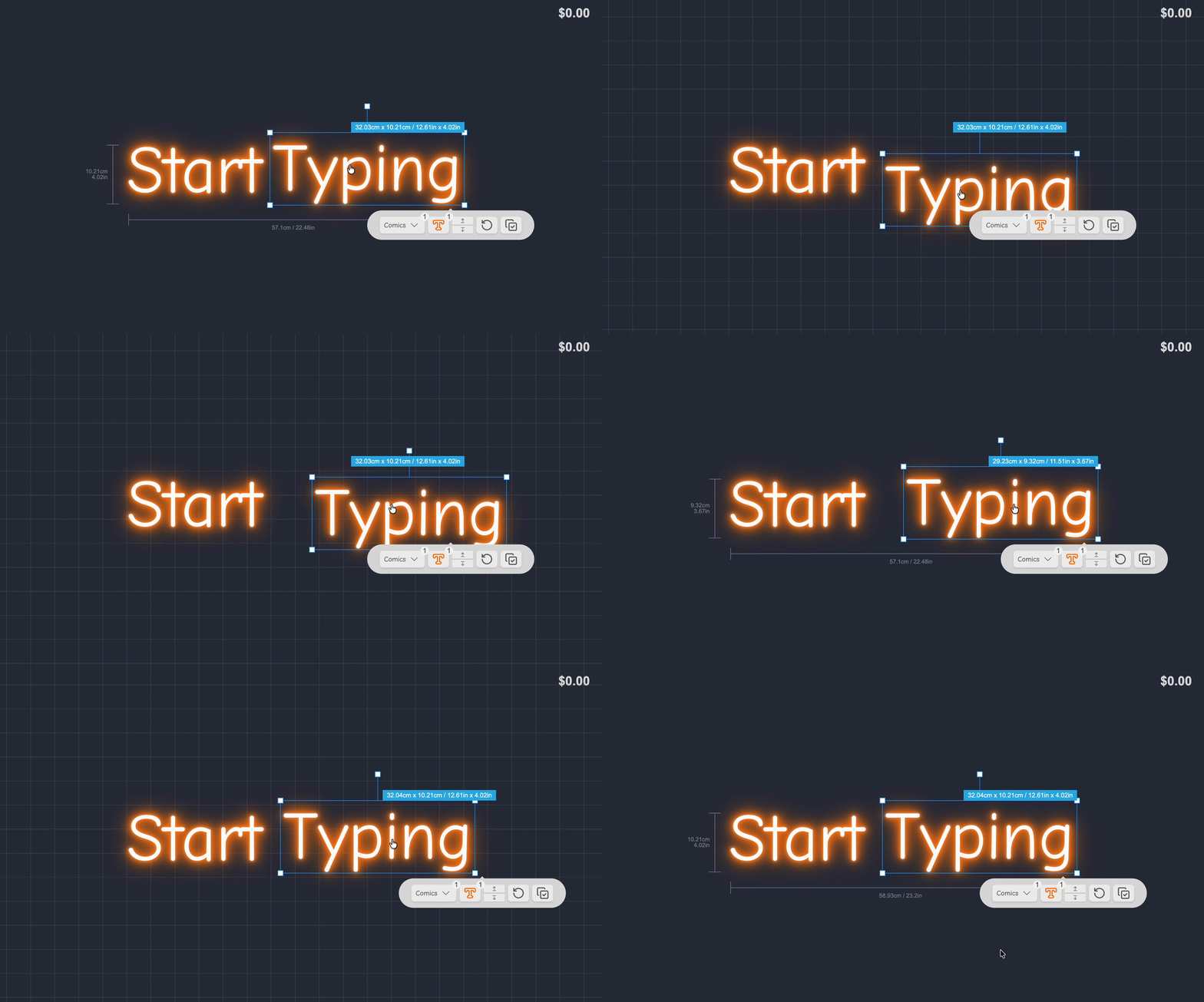
Snap to grid demo

What’s Changed

  • Grid snappingAll draggable sign elements now snap to a 20px grid when this feature is enabled, ensuring consistent spacing and alignment across designs.
  • Easier alignmentCustomers can create professional-looking layouts without the frustration of trying to manually align elements by eye.

How to Enable

Navigate to your customiser settings page to enable snap to grid for your store.

Open original

Get started

Add Sign Customiserto your store today

Install now
36+ verified reviews

Login

Universal Sign In
  • WordPress
  • Wix
  • Etsy
  • Squarespace
  • Webflow

Or, if on Shopify, navigate to your store admin to login.